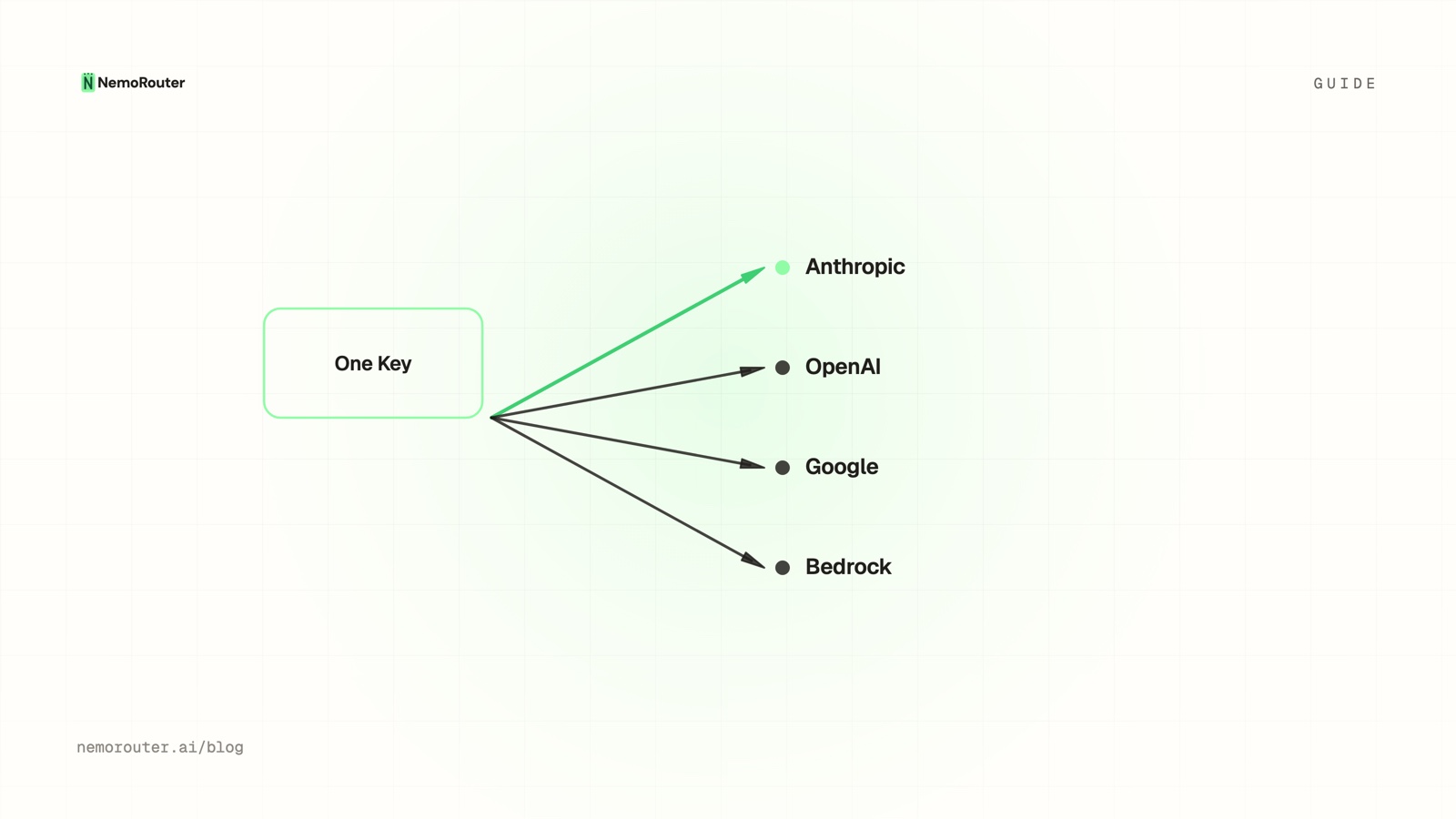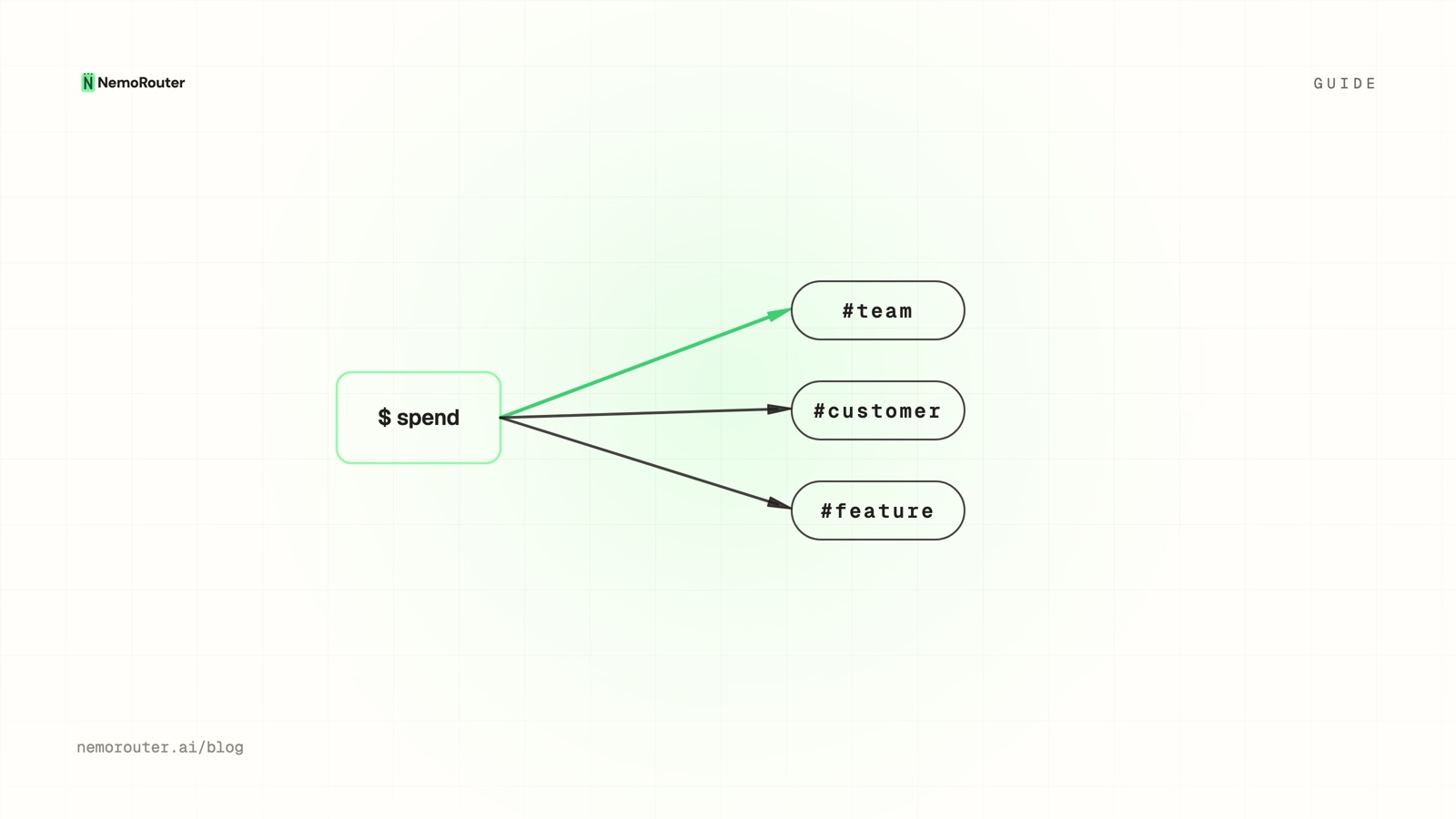
The short answer: attribution has three layers and you need all three. Virtual keys and teams carry structural attribution set once at key creation. The top-level
userfield carries per-request attribution to a downstream consumer. Consumer tags add the labels that make those rows readable. Group by model, provider, key, team, or tag on the Cost report and the bill becomes a breakdown.
The short answer
Every team eventually has the same meeting. The AI bill went up, nobody can say which feature, which customer, or which environment caused it, and the only lever anyone can name is "use the model less."
That meeting is a data-modelling failure, not a cost problem. A gateway already records the settled cost of every call; what it cannot do is invent the dimensions you never sent. Attribution is the work of deciding, before the traffic exists, what you will want to slice by later — and then arranging your keys and your request bodies so the slice is available.
The good news is that most of the work is structural and happens once. One key
per environment, one team per department, one stable user value per tenant or
seat, and every subsequent question about the bill is a filter on a report rather
than a data pull.
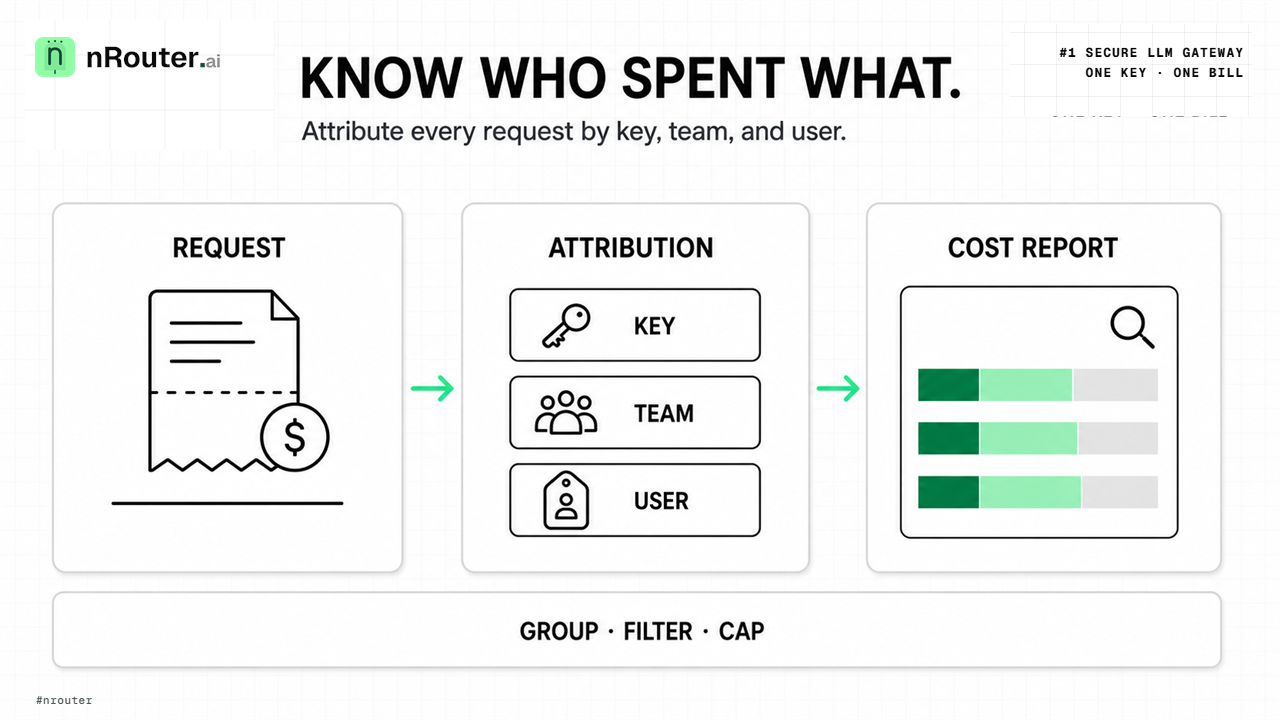
Figure 1: Multi-dimensional cost attribution tagging binding virtual keys, team scopes, and user metadata.
When you need this
You resell an AI feature and cannot price it. If you do not know what a customer costs to serve, you are guessing at margin. Per-customer attribution is the input to per-customer billing — the shape of that is in Per-customer LLM billing for AI apps.
Your staging environment is a mystery line item. Almost every team that first groups spend by key discovers that a non-production key is a meaningful fraction of the bill. You cannot find that without a key boundary between environments.
One team's experiment moves the whole organization's number. Without team attribution, an experiment and a production workload are the same undifferentiated dollars, and the conversation about which one to cut has no facts in it.
What you need first
- An organization with at least one team. Teams are where budgets and RPM/TPM live for a group of keys. See Team Management.
- More than one virtual key. Attribution by key is impossible with a single shared key, and a single shared key is also the worst blast radius — both arguments are made in Virtual keys vs master key.
- A stable, opaque identifier from your own database for whatever you want to call a "consumer" — a tenant id, a seat id, or a project id. Never an email address or a name.
NROUTER_API_KEYexported and the base URLhttps://api.nrouter.ai/v1.- Owner or admin role to view the Agents and API Consumers reports, which are treated as sensitive dimensions.
Step 1 — Make the key structure carry the attribution you want
This is the step people skip and then cannot retrofit. The key and the team it belongs to are recorded on every request automatically, with no change to your request body — which makes them the cheapest attribution you will ever get, and the only kind that also gives you enforcement.
Create keys on /[organization]/keys along the boundaries you will want to
report on and cap:
| Boundary | Why a key, not a tag | Example key alias |
|---|---|---|
| Environment | You want a different budget for staging than production | prod-api, staging-api |
| Service | You want to revoke one service without touching the others | ingest-worker, web-chat |
| Team | Budgets and RPM/TPM are enforced at team scope | keys inside team research |
The rule of thumb: if the boundary needs a different budget, a different rate limit, or independent revocation, it is a key or a team — not a label. Labels describe; keys enforce. A tag cannot stop a runaway loop and a key can, which is the whole argument in Org, team, member: scoping keys, budgets, guardrails.
Name keys with a prefix so the alphabetical list on the Keys page groups
environments together. The response never names the key that was charged — the
key is what authenticates the call, and the gateway does not echo it back — so
join your logs to the gateway's on x-nr-request-id, which is on every response.
Log it beside your own trace id and the matching row in the request log carries
the organization, team, user, and key alias that call was billed to.
Step 2 — Send the user field on every request
Keys and teams give you coarse structure. The user field gives you the fine
grain — one row per tenant, seat, or project — without operating one key per
customer.
It is the standard OpenAI-spec field, top-level in the body, and a first-class
argument in the SDK. You do not put it in extra_body and you do not put it
in messages.
One thing to know before you standardise on it: OpenAI now marks user
deprecated on its own API. The chat-completions reference says the field "is
being replaced by safety_identifier and prompt_cache_key" and recommends
prompt_cache_key "instead to maintain caching optimizations"
(API reference).
The two successors split the field's old double duty: safety_identifier is the
abuse-detection identifier — "a string that uniquely identifies each user"
(safety best practices)
— while prompt_cache_key is a routing hint you "reuse … for those requests to
help route them to the same cache and improve cache hit rates"
(prompt caching).
For attribution on this gateway, user is still the field to send: it is what the
API Consumers report reads, and it stays a documented top-level parameter in
the SDK you already use. Just do not assume it means the same thing to every
upstream provider — the next section is about exactly that.
import os
from openai import OpenAI

client = OpenAI(
    api_key=os.environ["NROUTER_API_KEY"],
    base_url="https://api.nrouter.ai/v1",
)

def call_model(prompt: str, consumer_id: str):
    return client.chat.completions.create(
        model="gpt-5.4-mini",
        messages=[{"role": "user", "content": prompt}],
        user=consumer_id,      # ← the only line you need to add
    )
curl -sS https://api.nrouter.ai/v1/chat/completions \
-H "Authorization: Bearer $NROUTER_API_KEY" \
-H "Content-Type: application/json" \
-d '{
"model": "gpt-5.4-mini",
"messages": [{"role": "user", "content": "hello"}],
"user": "tenant_acme:user_8f3a"
}'The value is recorded exactly as sent and aggregated by exact match — tenant_acme
and tenant-acme are two different consumers, and there is no mapping table on
the gateway side. Maximum 200 characters. Pick a shape and stick to it:
| Pattern | Example | When |
|---|---|---|
| End-user id | u_8f3a1b9c | B2C — you want per-user spend |
| Tenant / workspace | tenant_acme | B2B SaaS — you bill or quota your customers |
| Project / product | proj_chatbot | Multi-product — spend per product line |
| Composite | tenant_acme:u_8f3a1b9c | You want a hierarchy and to filter on either half |
What the upstream provider does with it varies, so do not build on it.
Attribution here is computed by the gateway from the value you sent, not read back
from a provider. Downstream treatment genuinely differs: OpenAI uses the
identifier family for abuse detection and cache routing as described above, while
Anthropic's OpenAI-SDK compatibility layer lists user — along with metadata,
seed and store — as Ignored, and notes that "most unsupported fields are
silently ignored rather than producing errors"
(OpenAI SDK compatibility). A
value that one provider acts on and another discards is a fine attribution key and
a bad control surface.
Send an opaque identifier, never PII. The field can reach a third party, and
an email address or a name is personal data the moment it does — GDPR defines it
as any information relating to "an identifiable natural person … in particular by
reference to an identifier such as a name, an identification number, location
data, an online identifier" (Art. 4 GDPR). An
opaque u_8f3a1b9c is pseudonymous, groups exactly as well, and does not turn
every later data-subject request into an archaeology project. Full reference:
API Consumers.
Step 3 — Tag consumers so the rows read like your product
A consumer row keyed tenant_acme is precise and unreadable at scale. Tags are
free-form labels stored on the consumer row — plan:pro, region:eu, cc:1234 —
and they are what turn a page of opaque ids into something a finance
conversation can use.
Two properties worth knowing before you design a taxonomy:
- Tags are display and filtering only. They do not gate access, change a budget, or alter routing. If you need enforcement, that is a key, a team, or a per-consumer override (step 5).
- They are idempotent per consumer. Uniqueness is the combination of
organization, consumer, and tag value, so adding
plan:protwice produces one chip, not two.
Manage them from the Consumers page or through the dashboard's
GET/POST/DELETE /api/end-users/tags endpoints, which any non-viewer member
of the org may call. Every add and remove is written to the org audit trail with
the actor, the consumer and the tag value, queryable at /[organization]/audit —
the reasoning behind that trail is in
Building a tamper-evident audit trail.
A key:value convention keeps the column readable as it grows: plan tier,
region, lifecycle stage, owning team, cost centre. Resist per-request
uniqueness — a tag that is different on every call is not a grouping, it is
noise with a storage bill.
Step 4 — Slice the Cost report by the dimension you built
Everything above exists so this step is a filter instead of a project. Open
/[organization]/advanced/cost and use the shared controls:
- Time window — presets from 24h to 1 year, or a custom range.
- Group by — pivot every chart and table by model, provider, key, team, or tag.
- More filters — narrow to one value of the grouped dimension.
- CSV export — on Cost, Usage, Cost vs Usage, Explore and Performance, restricted to admin and owner.
The reports that answer the four questions people actually ask:
| Question | Report | Path |
|---|---|---|
| Where is the money going? | Cost | /advanced/cost |
| Which model is quietly expensive? | Cost vs Usage | /advanced/cost-vs-usage |
| What does this customer cost to serve? | API Consumers | /advanced/api-consumers |
| What did this agent run cost? | Agents | /advanced/agents |
Two details that prevent bad conclusions. First, nRouter tool and agent charges are broken out separately on the Cost report and excluded entirely from Cost vs Usage, because they are flat per call rather than token-scaled and would distort every unit-cost ratio. Second, budget enforcement reads the credit ledger while the charts read observability logs, so small differences between the two are expected — trust the ledger for hard limits and the charts for analysis. Reading the ledger itself is covered in How to read your LLM credit ledger, and the "which model is quietly expensive" investigation has its own post at Cost vs usage.
Step 5 — Turn what you measured into caps
Attribution tells you where the money went. It does not stop it going there. Once a dimension is real, attach enforcement to it:
- Per-key and per-team budgets on
/[organization]/budgets, with Max Spend and a Daily / Weekly / Monthly / Total duration. Strategy in How to set hard spend limits. - Per-consumer overrides —
rpm_limit,tpm_limit, andmax_budgeton a single consumer row, set by an owner or admin from the gauge icon in the Limits column. These stack with the key's own caps and the tightest cap wins: a key allowing 1,000 RPM and a consumer capped at 60 means that consumer gets 60. - Pre-registration for a consumer that has not called yet, so an onboarding tenant arrives already capped rather than uncapped until someone notices.
Note the status codes differ by scope, which matters for your client: a consumer
max_budget returns 402, while a per-key budget returns 429. The full mapping
is in
Credits, budgets, rate limits, guardrails,
and the client-side branching in
429 vs 402.
Verifying it worked
- Send one attributed call and confirm it succeeds:
curl -sS -D - -o /dev/null https://api.nrouter.ai/v1/chat/completions \
  -H "Authorization: Bearer $NROUTER_API_KEY" \
  -H "Content-Type: application/json" \
  -d '{"model":"gpt-5.4-mini","messages":[{"role":"user","content":"attribution smoke test"}],"user":"tenant_smoke_test"}' \
| grep -i '^x-nr-'- Read the headers.
x-nr-request-idis always present, is what you quote in a support ticket, and is the join key back to the request log — that row is where you confirm which key, team, and user the call was charged to.x-nr-request-costcarries the settled USD cost — and is absent when a call could not be priced, which is not the same as zero and must never be stored as zero. - Reload
/[organization]/advanced/api-consumers. The rowtenant_smoke_testappears within a few seconds; logs are written asynchronously. - Group the Cost report by key, then by team, then by tag, and confirm each pivot returns a breakdown rather than one undifferentiated bar. A single bar means the dimension is not being sent.
- Reconcile the total. The sum of any single grouping should match the period total on the Cost report. If grouping by key sums lower than the total, some traffic is on a key you forgot about.
What goes wrong
The Consumers page is empty even though you have traffic. Almost always
because no request carried a user field — calls without one are billed
correctly but attributed to no consumer. Check, in order: you have a virtual key,
your requests actually include "user": "...", and your role is owner or admin
(members and viewers see only consumers on keys they own).
You added user to some code paths and not others. Partial attribution is
worse than none, because the resulting breakdown looks complete and is not. Add
it at the client wrapper, not at each call site.
You modelled projects as user values when they needed different budgets.
user gives you analytics granularity, not enforcement independence. If a project
needs its own cap or its own revocation, give it a key.
You expected to revoke a consumer. Revocation lives on the key. There is no
"block this user" switch — you cap the consumer with an override or you move
them onto their own key.
You put PII in the field. It flows to the provider and into their logs. Send a hash or a UUID from your own database; use tags for the friendly label, where the data stays with us. The broader argument for keeping sensitive strings out of the request path is in Redacting PII from LLM logs.
Try it
Cost, Usage, Cost vs Usage, Agents, API Consumers, Benchmark, per-team budgets and
per-consumer overrides are available to every nRouter customer on every plan.
Every plan pays the same 4% platform fee on credits, charged on top; plans vary
the monthly nrouter/auto allowance — subscriptions from $20/mo — and the
default rate limits, never the feature set.
Load the $5 minimum — the platform fee rides on top — add one user= line
to your client wrapper, and watch the Consumers page fill in. Start at
app.nrouter.ai/signup, or try a call from the browser in the
Playground first.
Designing a tenant-id scheme and want a second opinion? Ask in the nRouter community.
See also
- Multi-agent cost tracking — how attribution survives a pipeline where one user action fans out into many model calls.
- Cost vs usage: finding the quietly expensive model — the report that turns an attributed breakdown into a decision about which model to move traffic off.
- Per-customer LLM billing for AI apps — what you can charge once you know what a customer costs to serve.
- Virtual Keys vs Master Key: Scoping a Key Per Job — why the key boundary is both your attribution boundary and your security boundary.
- How to read your LLM credit ledger — the authoritative money record the charts are drawn against, and why they can differ slightly.
- Org, team, member: scoping keys, budgets, guardrails — the hierarchy that decides which report dimension is even available to you.
- Models — the live catalogue behind the per-model breakdowns in every report above.
Sources
Verified 2026-06-15. Field names, report paths, roles and limits attributed to
nRouter come from our own documentation; every claim about how a provider treats
the user field is cited to that provider's own reference. If something has
drifted, email hello@nrouter.ai and we will correct it.
Provider references for the user field
usermarked deprecated, "being replaced bysafety_identifierandprompt_cache_key": OpenAI — Create chat completionsafety_identifieras the per-user identifier: OpenAI — Safety best practicesprompt_cache_keyas the cache-routing hint: OpenAI — Prompt cachinguserlisted as Ignored on the OpenAI-compatible endpoint: Anthropic — OpenAI SDK compatibility- Why the value must be opaque — the definition of personal data: Art. 4 GDPR
nRouter
- The
userfield, consumer tags, overrides and role requirements: API Consumers - Report paths, group-by dimensions, CSV export and tool-charge handling: Analytics & Reports
- Request body fields and response headers: Chat Completions API
- Budget scopes, durations and status codes: Budget Controls
- Plans and the platform fee: nrouter.ai/pricing