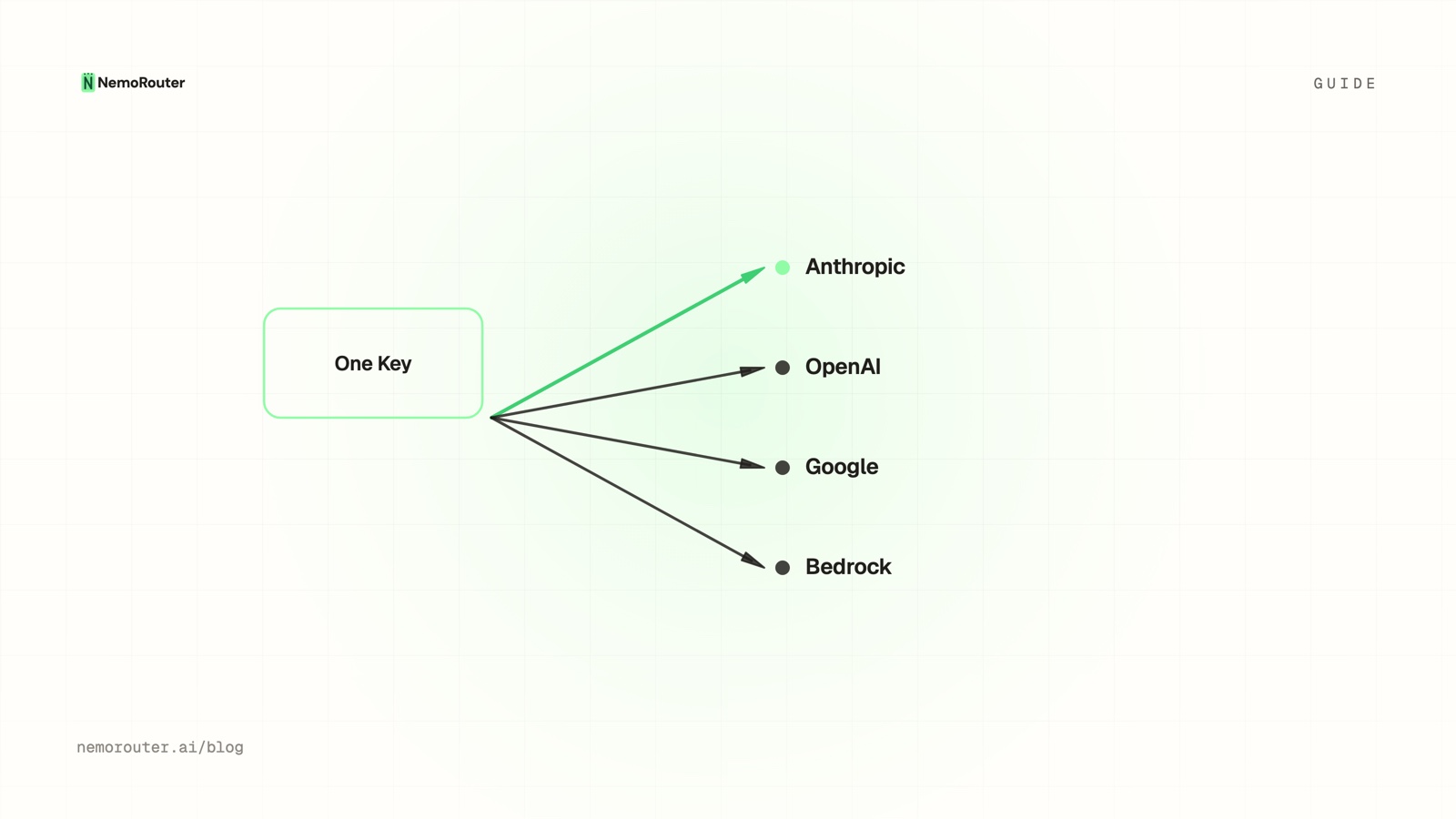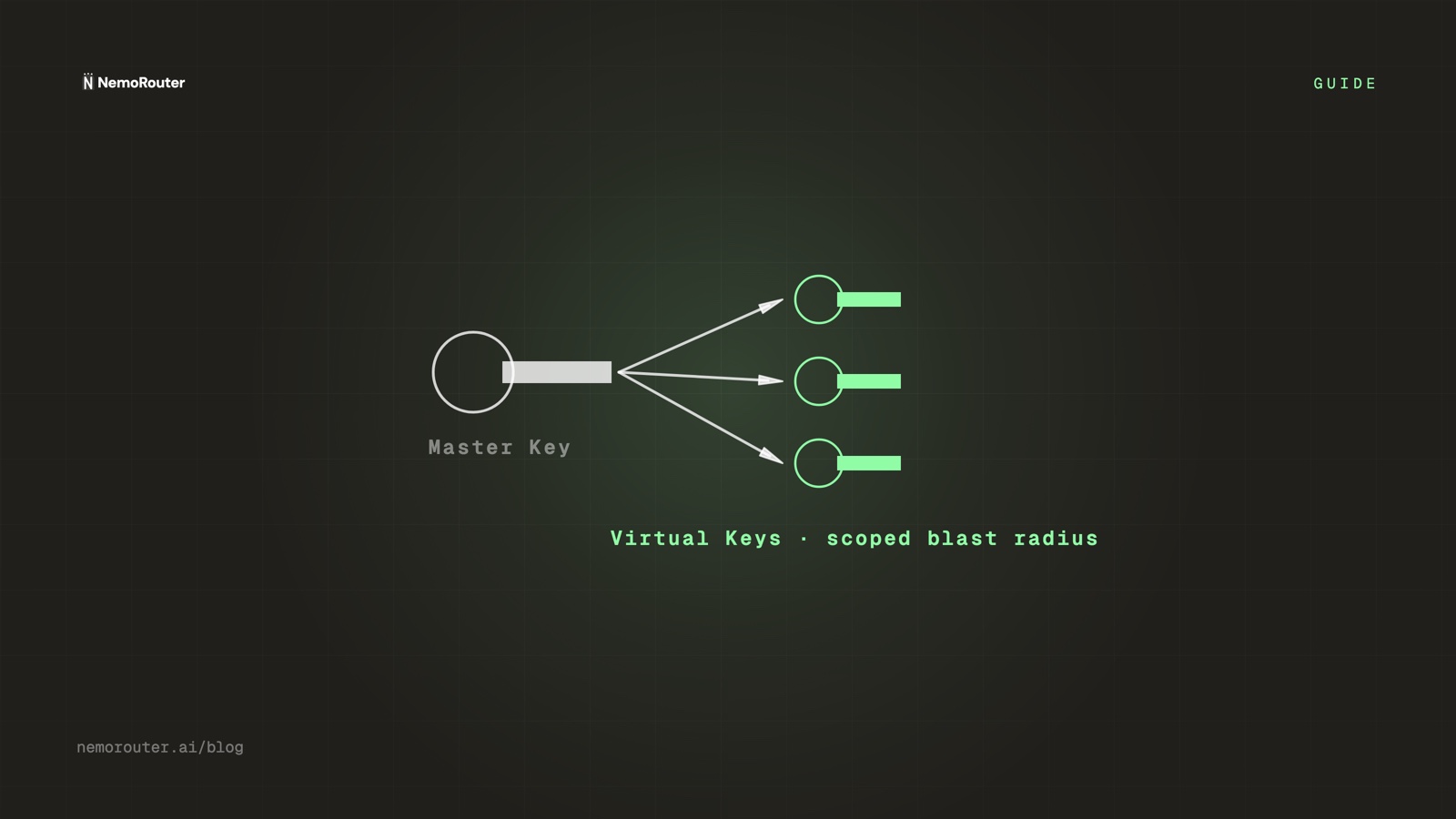
The short answer: two credentials, two jobs. A management credential administers the account and never makes a model call; a virtual key (
sk-nrouter-…) makes model calls and can do nothing else. Issue one virtual key per environment-and-service pair, narrow it with the four scope fields, attach a budget, and a leak becomes a revoke instead of an incident.
The short answer
Every API key is a liability the moment it leaves your control. The useful question is not "will a key leak" — over a long enough horizon one will, in a container image, a log line, a repository, a screenshot in a ticket — but "how much can the leaked one do?"
Good key design answers that with the smallest number you can arrange in advance, and the arrangement has to happen before the leak. There are only two moments you get to decide a key's blast radius: when you create it, and never again. Everything below is work you do in the first of those moments.
nRouter splits credentials into two kinds with deliberately unequal power. The management credential administers the account. Virtual keys make model calls. The asymmetry is the design: the powerful credential stays put, and the credentials that travel are not powerful.
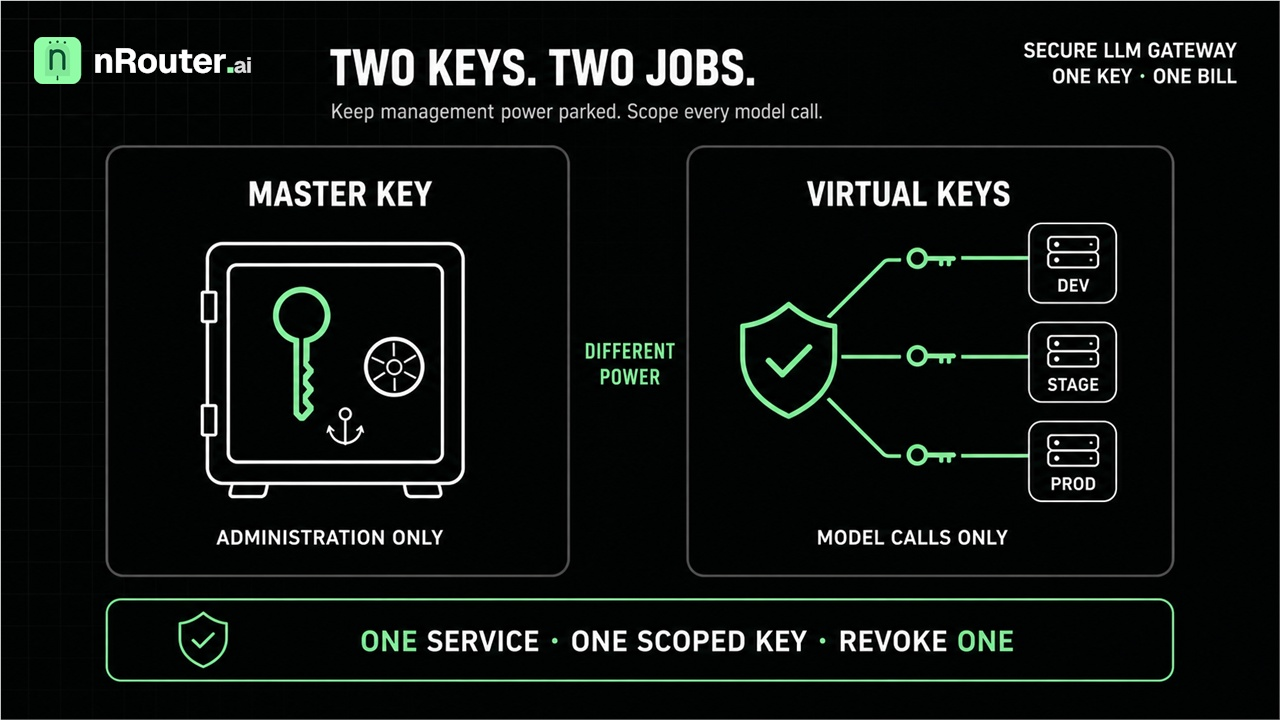
Figure 1: Credential isolation separating administrative control plane keys from scoped runtime inference virtual keys.
When you need this
You are about to put a key in a container image, a CI secret, or a serverless function's environment. That key is now in more places than you can enumerate, and it will outlive your memory of putting it there — which is the whole subject of the OWASP Secrets Management Cheat Sheet.
One key already serves everything and somebody asked which service spent the money. A shared key produces one undifferentiated line item. Attribution is decided at request time; it cannot be reconstructed afterwards from a total. The full attribution model is in Attribute LLM spend by team, customer, and feature.
A key leaked and the response was "rotate everything". That sentence is a symptom, not a plan. If revoking one credential requires touching every service you own, the credentials were never scoped — and the outage caused by the rotation will be larger than the leak.
What you need first
- An organization with a funded balance. Signup is card-required and takes a real charge; the minimum credit purchase is $5, with the platform fee on top. See Pricing.
- The right role. Owners, admins and members can create keys; only owners and admins can edit, revoke or rotate one, and viewers can see keys and usage without changing anything. That split is itself a control — check yours on Team Management.
- A secret manager, or at minimum an environment variable. The value you are about to generate is displayed once. A Slack message to yourself is not storage.
NROUTER_API_KEYexported for the verification steps, againsthttps://api.nrouter.ai/v1.
Step 1 — Know which credential does which job
| Management credential | Virtual key (sk-nrouter-…) | |
|---|---|---|
| How many | One | Many — one per environment and service |
| What it can do | Account and key administration | Make model calls, and nothing else |
| Used by | Account administration only, server-side | Your apps, SDKs, the playground |
| Rate limited / budgeted | Not applicable | Yes, per key |
| Spend attributed | Not applicable | Yes, per key |
| Where it may live | Never in client code, never in a browser | Server-side, secret manager, CI secret |
| If it leaks | Administrative compromise — treat as an incident | Bounded — revoke the one key |
The operating rule follows from the second row and is not negotiable: every model call authenticates with a virtual key. Requests from your backend, from an SDK, from a notebook, from the Playground — all of them carry a virtual key. The management credential is for administration and is kept out of anything a client can observe.
A management credential in client code is not a bill, it is a breach
A leaked virtual key means somebody can spend up to a cap you already set, on models you already allowed, until you revoke it. A leaked management credential means somebody can administer the account. That is why one of them never travels and never appears in an inference example — including the ones below.
Step 2 — Create one key per environment-and-service pair
Open the Keys page (/[organization]/keys) and click Generate Key. The
naming convention does more work than it looks like it does, because the
dashboard sorts alphabetically and a prefix groups environments visually:
| Environment | Prefix | Example name |
|---|---|---|
| Local development | dev- | dev-checkout-service |
| Staging | stage- | stage-checkout-service |
| Production | prod- | prod-checkout-service |
One key per (environment, service) pair — not per person, and emphatically not
per organization. Sharing a single key across environments also shares its rate
limits, its budget cap and its audit trail, which is how a runaway staging job
exhausts the budget a production service depends on.
Each key is bound to exactly one team and inherits that team's permissions, so a key can never reach a model or a limit its team is not entitled to. The scope hierarchy behind that is described in Org, team, member.
The full value is shown exactly once, at creation. Afterwards the dashboard
shows the key name and last four characters — sk-…a1b2 — and there is no reveal
control, because the full value is not retrievable by anyone, including us. Lose
it and you rotate; there is no recovery path, which is the same property that
means an attacker has no recovery path either.
export NROUTER_API_KEY="sk-nrouter-..."   # the value you copied at creation
curl -sS https://api.nrouter.ai/v1/models \
  -H "Authorization: Bearer $NROUTER_API_KEY" | head -c 300
A model list means the key is live. A 401 means it is wrong, revoked or
expired — see Authentication. The
Authorization: Bearer form is the ordinary OAuth 2.0 bearer scheme of
RFC 6750, which is why any HTTP
client you already own can carry it.
Step 3 — Narrow the key with the four scope fields
A key that can do everything your team can do is only marginally better than a shared one. Four fields on the create/edit form turn it into a credential shaped like one job.
| Field | What it does | Good default |
|---|---|---|
| Allowed models | Per-key allowlist of model names | List them; empty means everything the team may use |
| Allowed endpoints | Restrict to /chat/completions, /embeddings, etc. | An embedding job needs one endpoint, not seven |
| IP allowlist | Comma-separated CIDR blocks | Your VPC's NAT range for services; blank for developers |
| Expiration | Never, 30 days, 90 days, or a custom datetime | 90 days for service-to-service; 30 for human-held |
Bounding a credential's life is not a house style. NIST SP 800-57 Part 1 Rev. 5 makes a defined cryptoperiod part of key management precisely because the probability that a secret has escaped rises with the time it has existed, and the OWASP Key Management Cheat Sheet says the same thing for application keys.
Two properties are worth internalising because they change what a leak is worth.
First, the IP allowlist is evaluated before the key is consumed against your budget, so a request from an unexpected source is rejected at the door and costs zero credits. A key exfiltrated from a container and replayed from an attacker's network is inert if that network is not in the list.
Second, a model outside the allowlist is rejected before it reaches a provider. That bounds not only spend but capability: a key issued for a cheap summarisation model cannot be turned on an expensive frontier model, no matter what the caller puts in the request body. Full field reference: API Key Management.
Note what is not in that table: nowhere do you paste a provider credential. nRouter holds the provider keys; you hold an nRouter key and credits. That is a deliberate design decision with its own trade-offs, argued in Why we don't do BYOK, and its security consequence is that a leaked virtual key can never become a leaked OpenAI or Anthropic key — the credentials those providers tell you to guard (OpenAI, Anthropic) are not in your estate at all.
Step 4 — Cap it, so a leak is bounded before you notice it
Scoping bounds what a key can do. A budget and a rate limit bound how much, and they are what protect you during the hours between a leak and its discovery — which is the interval that actually matters, because you will not be watching.
Create the cap on the Budgets page (/[organization]/budgets) →
Create Budget, attach it to the key, and set Duration to Daily for a
service key. A per-key budget returns 429 with code key_budget_exceeded when
it fires — note that this differs from organization, team and user budgets, which
return 402 with budget_exceeded. Your retry logic must branch on the code
field, not the status; the full playbook is
Handling 429 and 402 errors.
Then add per-key RPM and TPM limits, because a dollar cap and a velocity cap stop different things. A monthly budget is a total and cannot prevent a stolen key from burning it in twenty minutes; a rate limit is a boundary the caller cannot raise, which is exactly the property you want against an attacker. The distinction gets its own post in Budgets vs rate limits, and the four independent gates a request clears are laid out in the four pre-flight gates.
The result is that the worst case for a leaked, capped, allowlisted key is a known number of dollars on a known list of models from a known network, all of it attributed to one key in the logs.
Step 5 — Rotate with two keys and an explicit hand-off
There is deliberately no in-place secret swap behind a single key id. That sounds like a missing feature and is a control: swapping the secret under one id would let a consumer you forgot about keep working after you believed you had cut it off. Two keys with two ids force the hand-off to be explicit.
- Create the replacement with the same scopes — the Duplicate action on the existing key clones them, so you do not re-derive the allowlists by hand.
- Roll it out to the environment variable or secret manager entry the service reads.
- Confirm the new key is actually being called. The Keys page shows a last-used timestamp and recent request count per key. Do not skip this — it is the step that distinguishes a rotation from an outage.
- Revoke the old key. Every create, rotate and revoke event is recorded with
the actor, source IP and timestamp, and each key row links to its own
activity; the trail is at
/[organization]/auditand documented in Audit Log.
Set expirations so this is a routine you have practised rather than an emergency procedure you are improvising. A rotation you have never run is not a capability.
Verifying it worked
- Confirm the display rule. Reload the Keys page and check that the full value is gone and only the name and last four remain. If you can read a full key off any screen, something is wrong.
- Confirm the scope bites. Call a model that is not on the key's allowed
list and confirm the rejection, then confirm on
/[organization]/logsthat no cost was recorded. - Confirm the cap bites. Attach a
$0.01Total budget to a throwaway key and send two calls; the second returns429withkey_budget_exceededand a message naming the budget. - Confirm attribution. Send one call and read the headers back — the response carries the request id and, when the call was priceable, the settled cost.
curl -sS -D - -o /dev/null https://api.nrouter.ai/v1/chat/completions \
  -H "Authorization: Bearer $NROUTER_API_KEY" \
  -H "Content-Type: application/json" \
  -d '{"model":"gpt-5.4-mini","messages":[{"role":"user","content":"ping"}]}' \
  | grep -i '^x-nr-'
x-nr-request-cost is absent when a call could not be priced. Absent means
unknown, not zero — client code that defaults it to 0.0 will under-report spend
in your own dashboards while the ledger stays correct. See
What an LLM request log should contain.
- Confirm the row is attributed to the right key at
/[organization]/logs. Per-key attribution is what makes step 4's incident response possible; if two services share a key, this is where you find out.
Handling a leak: the twenty-minute runbook
Because the key was scoped in advance, the response is a procedure rather than a judgement call.
- Revoke the leaked key first, from
/[organization]/keys. Every other key keeps working. Do not begin with an investigation — revoke, then investigate. - Read what it did. Filter
/[organization]/logsby that key: every request, model, token count, status and settled cost is attributed to it. This is the answer to "what was accessed", and it exists only because the key was per-service. - Reconcile against the ledger for the spend figure you will actually quote to somebody — How to read your LLM credit ledger.
- Issue the replacement with the same scopes via Duplicate, and deploy it.
- Record the timeline from
/[organization]/audit, which already carries the actor, source IP and timestamp for the revoke and the create. If you are assembling evidence for an auditor, the criterion-by-criterion version is SOC 2 for an LLM gateway.
Nothing in that list is "rotate everything", and nothing in it requires a maintenance window.
What goes wrong
One key for everything. It works until it does not, and then the rotation is an outage. It also destroys per-service attribution permanently — you cannot retroactively split one key's history into five services.
A key in client-side code. A browser bundle, a mobile binary and a public notebook are all public, and a credential read out of one is the shortest route to the sensitive-information-disclosure entry in the OWASP Top 10 for LLM Applications. Model calls belong on your server; the browser talks to your backend, which holds the key. The one sanctioned exception is the Playground, where the key you paste is your own and is held in the browser session only.
"Never" expiry on a service credential. Never is the default and the wrong choice for anything machine-held. A key with no expiry is a key that outlives the service, the repository, and the person who created it.
The cost header read as zero. An absent x-nr-request-cost means the call
could not be priced. Defaulting it to 0.0 under-reports your own spend
silently, while the ledger — the authoritative store — stays correct. Why we
report unknown rather than zero:
Cost honesty.
Rotation without the last-used check. Revoking the old key before confirming the new one is live turns a hygiene task into an incident. The timestamp is on the Keys page precisely so you do not have to guess.
Try it
Keys are unlimited on every plan, and so are the controls around them — per-key
budgets, RPM and TPM limits, model and endpoint allowlists, IP allowlists,
expiry, rotation and the audit trail. Every plan pays the same 4% platform fee on
credits, charged on top; plans vary the monthly nrouter/auto allowance
(subscriptions from $20/mo) and the default rate limits, never the feature set;
the reasoning is in
Every Feature on Every Plan: We Charge a Fee, Not a Gate.
Load the $5 minimum — the platform fee rides on top — then create one key per service rather than one key, and set a daily cap on each before you deploy anything. Start at app.nrouter.ai/signup, or send a first call from the browser in the Playground.
Questions about scoping a key for a workload you are not sure how to split? Ask in the nRouter community.
See also
- Ship your first AI feature: signup to production in an afternoon — the end-to-end path this key slots into, from funding to a verified first call.
- Credits, budgets, rate limits, guardrails: four pre-flight gates — the four independent checks a key's request clears, and the code each returns.
- Budgets vs Rate Limits: Pick the Control, Then Set Both — why a leaked key needs both a dollar cap and a velocity cap, not one of them.
- Attribute LLM spend by team, customer, and feature — what per-key attribution buys you once more than one service is live.
- SOC 2 for an LLM gateway: the evidence an auditor asks for — where key scoping, expiry and the audit trail become CC6 and CC7 evidence.
- Why we don't do BYOK — why a leaked virtual key can never become a leaked provider key.
- Pricing — unlimited keys on every plan, and the platform fee that varies instead.
Sources
Verified 2026-06-11; the external references were re-checked on 2026-08-23. Every field name, dashboard path, role rule and status code above comes from nRouter's own documentation. If something has drifted, email hello@nrouter.ai and we will correct it.
- Bearer-token scheme used by the examples: RFC 6750
- Why a credential gets a bounded lifetime (cryptoperiods): NIST SP 800-57 Part 1 Rev. 5
- Storing and rotating the secret once it leaves the dashboard: OWASP Secrets Management Cheat Sheet and Key Management Cheat Sheet
- The disclosure risk a client-side key creates: OWASP Top 10 for LLM Applications
- Provider-side key handling, which you never touch here: OpenAI authentication, Anthropic getting started
- Key format, the one-time display rule and the base URL: Authentication
- Scope fields, expiry, rotation flow and role permissions: API Key Management
- Budget scopes, durations and the code each returns: Budget Controls
- Key create / rotate / revoke events and their attribution: Audit Log
- Response headers and error shapes: Chat Completions API
- Plans, platform fee and the $5 credit minimum: nrouter.ai/pricing