The short answer: your balance is derived, not stored — it is the running total of a ledger where every movement of value is a row. Open Billing at
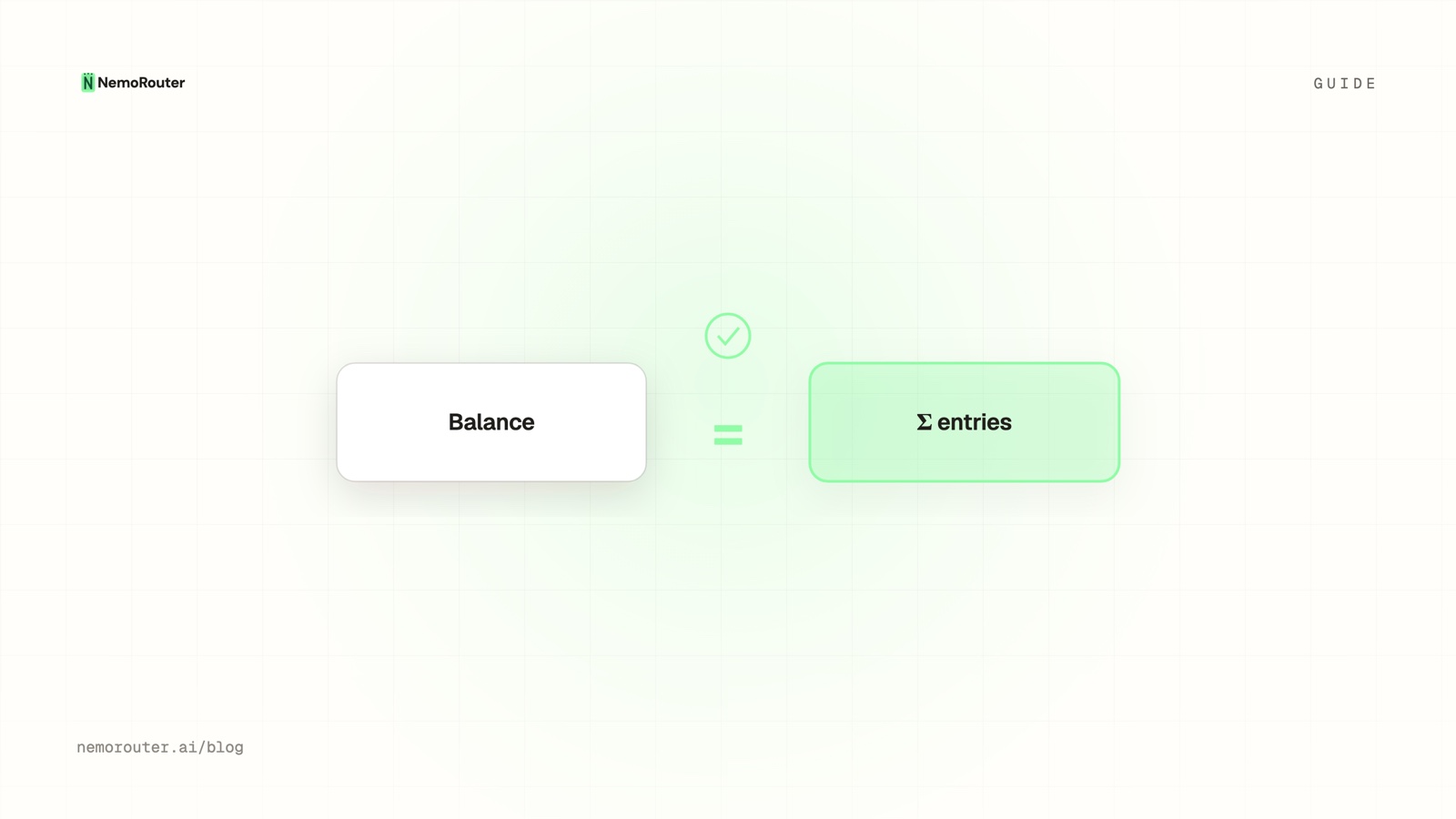
/[organization]/billingand check two identities: lifetime purchased − credits used = balance, and balance − reserved = available. If both hold, every cent is accounted for. A single call usually appears as a hold followed by a settlement, and the two net to the call's real cost.
The short answer
Most billing surfaces show you a number and ask you to trust it. A ledger does the opposite: the number is the arithmetic of things that happened, and every one of those things is a row you can point at. That design has a practical payoff the first time somebody asks where $4.12 went — the answer is a lookup, not a reconstruction.
This guide is the reading skill. Which four numbers the balance card shows and which one you should actually quote; what each entry type means; why one API call usually produces two entries and why that is not double counting; and how to reconcile the ledger against the cost report when they disagree slightly, which they sometimes will and for a good reason.
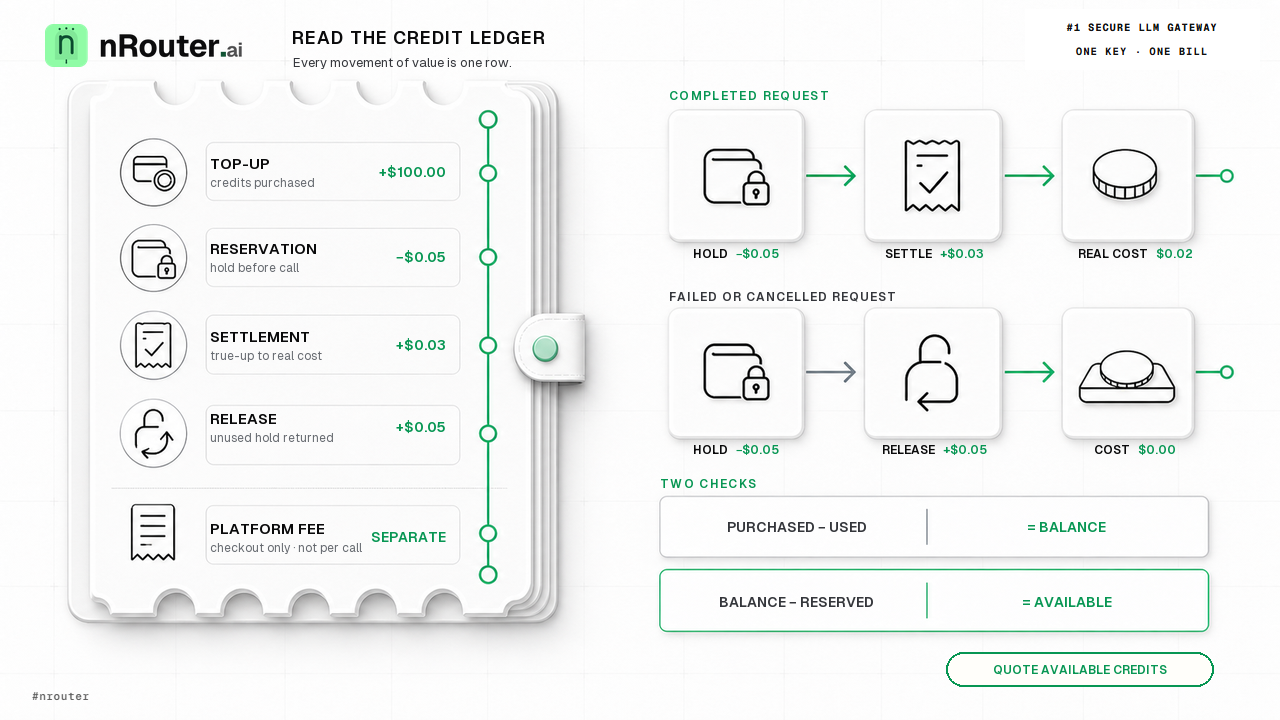
Figure 1: Credit ledger reconciliation lifecycle binding purchased top-ups, reservation holds, and settled token costs.
When you need this
A finance question you cannot answer from a dashboard tile. "Why did we spend $1,180 last month when the cost report says $1,140?" The gap is usually reservations in flight at the moment one of the two numbers was read, and the ledger is where you can see it rather than argue about it.
Available credits that look wrong. The balance says one thing and the number you can actually spend says another. That difference is the reserved column, and it is a feature — it is what stops concurrent requests from all spending the same last dollar. Mechanism in reserve-and-settle.
You are reselling AI and must explain a charge to a customer. Then the ledger is not internal accounting, it is the evidence layer under your own invoice. Per customer attribution is in per-customer LLM billing.
What you need first
- Owner or admin role. The Billing page is available to organization owners and admins; only owners can buy credits, change plans or manage payment methods, while owners and admins can view invoices, forecasts and the credit ledger and change auto top-up. Members and viewers do not see Billing in their sidebar — their cost visibility lives under Reports → Advanced, scoped to their own activity. Roles: Team Management.
- At least one settled request, so there is something to read. If the account is new, send one call before you open the page.
NROUTER_API_KEYexported, for the verification steps. Every block below runs as written againsthttps://api.nrouter.ai/v1.
export NROUTER_API_KEY="sk-nrouter-your-key-here"

curl -sS -D - -o /dev/null https://api.nrouter.ai/v1/chat/completions \
  -H "Authorization: Bearer $NROUTER_API_KEY" \
  -H "Content-Type: application/json" \
  -d '{"model":"gpt-5.4-mini","messages":[{"role":"user","content":"ping"}]}' \
  | grep -i '^x-nr-'
Keep the x-nr-request-id from that response. You will use it in step 5.
Step 1 — Read the four numbers on the balance card
Open Billing at /[organization]/billing. The balance card carries four
figures, and only one of them is the number to put on an internal dashboard.
| Figure | What it means | Quote it when |
|---|---|---|
| Available credits | Balance minus in-flight reservations | Always. This is what you can actually spend right now. |
| Lifetime purchased | Everything ever bought | Reconciling against invoices |
| Credits used (including fees) | Cumulative draw-down | Explaining the period |
| Reserved | Held against requests in flight, not yet settled | Investigating a gap between balance and available |
Available is the honest operational number. A dashboard that displays the raw
balance will overstate spending power by exactly the amount currently in flight,
which under load is not a rounding error. The rule is simple: show
balance − reserved, never balance.
The progress bar beside the card shows how much of your purchased credits you have consumed, which is the fastest read on whether a top-up is due. If you would rather not think about it at all, auto top-up takes a threshold and a top-up amount — the trade-offs, and how to keep it from becoming an uncapped line of credit, are in setting up auto-topup safely.
Step 2 — Learn the five entry types
Every row in the ledger has a type, and there are only five worth memorising.
| Type | Sign | What happened |
|---|---|---|
| Top-up | + | Credits purchased, manually or by auto top-up |
| Reservation | − | A hold placed before a call was forwarded |
| Settlement | ± | The true-up from the hold to the provider's real cost |
| Release | + | A hold handed back because the call never completed |
| Platform fee | (at purchase) | The fee, charged on top at checkout — never per call |
The fee row is the one that surprises people, so it is worth stating plainly: the platform fee is added on top of a purchase rather than skimmed out of it. A $100 purchase credits the account with the full $100 and the fee is billed separately. That is what makes the per-call cost number literally true instead of approximately true — there is no markup buried inside it to unwind. The argument is in markup-free LLM credits.
The reservation, settlement and release trio all come from one mechanism: a hold
is taken before the provider is called, then either settled against the real
cost or released in full if the call never happened. Because the hold precedes the
call, two concurrent requests cannot both fit under the same last dollar — the
first takes it, the second is refused with 402 — the payment-required status
RFC 9110 reserves — before any
provider is contacted.
That ordering is the whole reason a spend ceiling is exact rather than
approximate.
Step 3 — Walk one request through the ledger
Read this top to bottom and the balance stops being a mystery — it is just the arithmetic of what happened.
ledger (chronological)                              running balance
+ top-up             +$100.00                        $100.00
− reservation         −$0.05   (held for a call)      $99.95
+ settlement adj.     +$0.03   (real cost $0.02)      $99.98
− reservation         −$0.05                          $99.93
+ release             +$0.05   (call never ran)       $99.98
Two things follow from that shape.
One call is often two rows. A hold, then a true-up. Net of the pair is exactly the call's real cost, so it is not double counting — it is the mechanism that keeps a ceiling exact under concurrency showing its working. If you sum only the negative rows you will overstate spend; sum the pair.
A failed call leaves no cost, but it does leave rows. The reservation and the release both appear, and they cancel. A request that was refused at pre-flight — by a budget, a rate limit or a guardrail — never reaches a provider at all, so it produces no spend row and no cost. That is why the budgets dashboard reports what is blocking now rather than a historical count of blocked requests: there is no spend log to count.
Step 4 — Reconcile the ledger against the cost report
Open Advanced → Cost at /[organization]/advanced/cost, set the window to
match the period you are reconciling, group by model, and export to CSV. The
report leads with total spend and a period-over-period trend, then breaks out
requests, tokens, cost per request, cache-hit rate, error rate and average
latency. Charges from nRouter tools are shown separately so they do not distort
LLM spend.
Now check the two identities:
lifetime purchased − credits used   = balance
balance            − reserved       = available
If both hold, the account is behaving. If the cost report and the ledger differ slightly, that is expected and has a specific cause worth knowing: budget enforcement runs off the credit ledger, which is authoritative, while the spend charts are drawn from observability logs. Trust the ledger for anything that has to be exact — invoices, customer billing, budget arguments — and treat the charts as the analytical view. Report detail: Analytics and Reports.
For a per-key rollup, Advanced → Key Usage at /[organization]/advanced/keys
gives spend, requests, input and output tokens, cache-hit rate, average and p95
latency and last-active time for every virtual key. If you tag requests, Agents
and API Consumers attribute spend by agent tag and by end user respectively;
both are sensitive dimensions and require elevated permission. Tagging strategy is
in attribute LLM spend by team, customer and feature.
Step 5 — Tie a single charge back to a single request
The ledger tells you the money moved. The request log tells you what moved it.
Take the x-nr-request-id you kept earlier and search for it on Logs at
/[organization]/logs. Each row carries the model and provider, token counts and
total cost, latency and status, cache-hit status, start and end timestamps and the
request ID. Those token counts are not an estimate: they are the usage object
the provider returned with the completion, documented for
OpenAI and for
Anthropic. That is what makes the
next step a check rather than a re-derivation. Click into the row for the full detail, and export the current view to
CSV when you need the whole window.
Two limits to know before you build a process on this:
- Request and response content is never written to the log. It carries metadata — model, tokens, cost, latency — and that is deliberate. If your question is "what prompt caused this charge", the log will not answer it; your own application logs have to. What to log on your side is in what to log and not log on an LLM gateway.
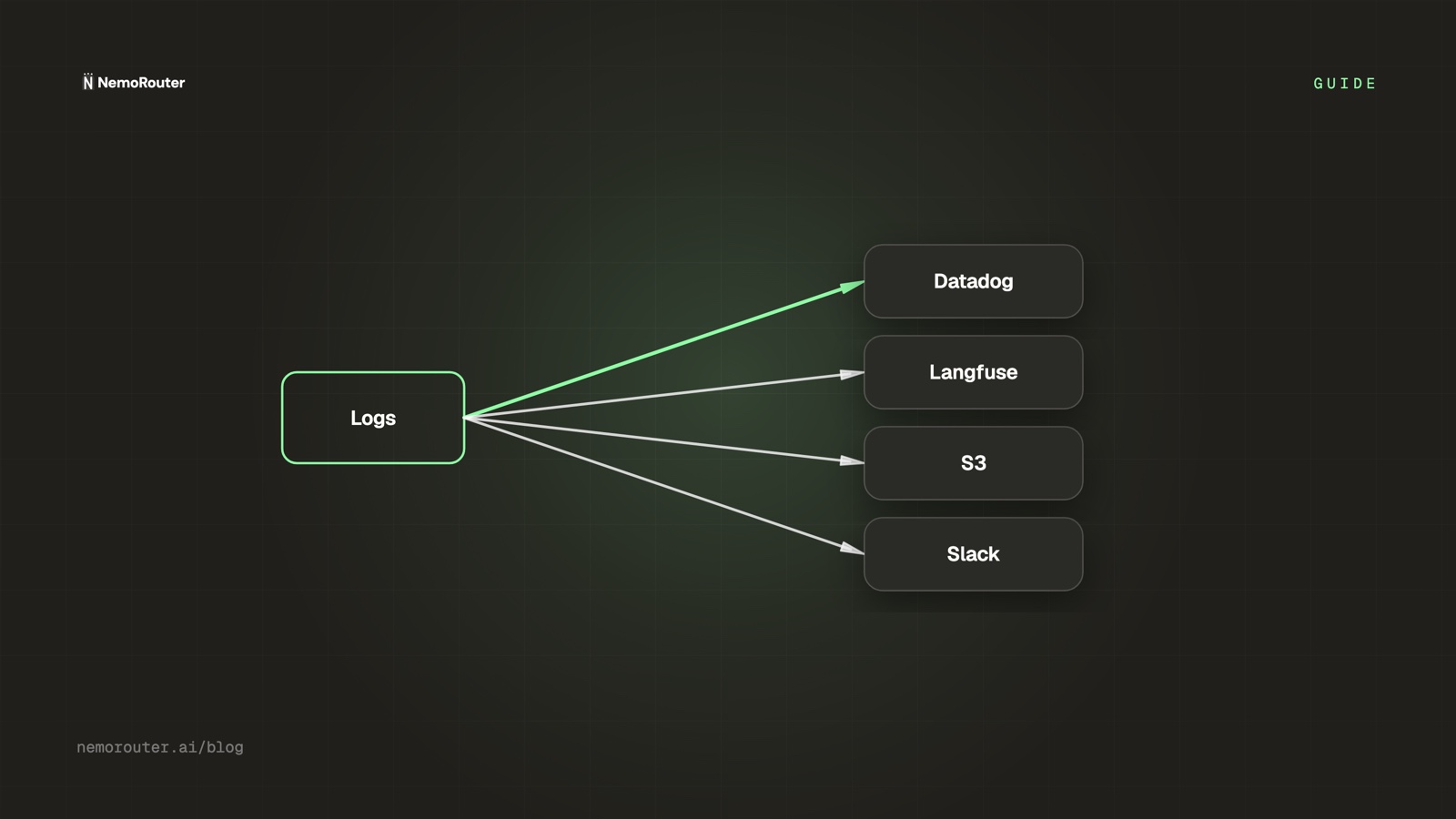
- Logs are retained for 90 days today, and retention is not yet configurable. Anything you need beyond that window has to be exported. Callback destinations for Langfuse, Datadog, S3, GCS, Slack and custom endpoints can be configured and verified with Test connection today, but automatic streaming of logs to them is Beta and not yet active — so an export is an export, not a pipeline. See Set Up LLM Log Callbacks: Datadog, Langfuse, S3, Slack.
Verifying it worked
- Note the balance card before you do anything: available, lifetime purchased, credits used, reserved.
- Send five calls on a key you control, then refresh Billing.
for i in $(seq 1 5); do
  curl -sS -D - -o /dev/null https://api.nrouter.ai/v1/chat/completions \
    -H "Authorization: Bearer $NROUTER_API_KEY" \
    -H "Content-Type: application/json" \
    -d '{"model":"gpt-5.4-mini","messages":[{"role":"user","content":"ping"}]}' \
    | grep -iE '^x-nr-(request-id|request-cost|cost-status)'
done- Sum the
x-nr-request-costvalues you just printed and compare against the movement in credits used. They should agree once every call has settled. If available moved more than credits used, the difference is sitting in reserved — wait a moment and look again. - Confirm lifetime purchased did not move. Spending never changes what you bought; only a top-up does. If it moved, auto top-up fired, and there will be a top-up row to prove it.
- Check both identities again.
purchased − used = balanceandbalance − reserved = available. Two lines, and if they agree your dollar balance is doing exactly what a dollar balance should. - Spot-check one call against the vendor rate card. Multiply the token counts
from the log row by the provider's published per-token price — the current
sheets are OpenAI,
Anthropic and
AWS Bedrock — and compare with
x-nr-request-cost. Two details make this arithmetic fiddlier than it looks: input and output are priced differently, and cached input is priced differently again, as Anthropic's prompt caching documentation sets out. Match the token classes before you conclude a number is wrong. This is the real test of whether a cost figure means anything, and it is why the fee sits outside the call price.
What goes wrong
You treated a missing cost header as zero. When a call cannot be priced,
x-nr-request-cost is absent and x-nr-cost-status reads unpriced. It is
never a 0. Reporting code that defaults an absent header to 0.0 under-reports
spend in your own dashboards while the ledger stays correct, and a zero gets summed
silently where a missing value would have been investigated. The argument is
cost honesty.
You quoted the balance instead of available credits. Under any concurrency the
difference is real money in flight. Show balance − reserved.
You summed only the negative rows. A call's reservation is not its cost; the reservation and its settlement net to the cost. Summing holds alone overstates spend, sometimes considerably on a workload with variable output length.
You expected the cost chart to match the ledger to the cent. It will not always, because enforcement reads the ledger and the charts read observability logs. Small differences are expected. Reconcile against the ledger, always.
You went looking for the prompt behind a charge. Content is not stored. The ledger and the log will tell you the model, the tokens, the cost and the request ID; correlating that back to a prompt is your application's job, by logging the request ID alongside your own record.
You saw a hold with no matching settlement or release. That is the one shape
that should not persist. A hold is released on routing failure, a missing
credential, an upstream connection failure, an upstream error and a timeout, so a
lingering one is worth a support ticket — quote the x-nr-request-id and email
hello@nrouter.ai.
Try it
The ledger, the reports, budgets, guardrails, A/B tests and prompt management are
on every plan. Every plan pays the same 4% platform fee on credits, charged on top;
plans vary the monthly nrouter/auto allowance — subscriptions from $20/mo — and
the default rate limits, never the feature set. See
Pricing.
Load the $5 minimum, send five calls, and check the two identities yourself. It takes about three minutes and it is the difference between trusting a number and knowing one. Start at app.nrouter.ai/signup, or send the first call from the browser in the Playground. Reconciliation questions belong in the nRouter community.
See also
- Reserve-and-Settle: Never Overspend a Credit Balance — why a hold exists at all, and what the reserved column on the balance card actually represents.
- Gateway Credits vs Prepaid Tokens: How the Balance Works — why the balance is denominated in dollars rather than tokens, and what that buys you at reconciliation time.
- Auto Top-Up Without Surprise Bills: Threshold, Amount, Cap — the top-up rows in your ledger, and how to keep them from becoming an uncapped line of credit.
- Hard LLM Spend Caps at Org, Team, User, and Key Scope — the ceilings enforced against this same ledger, and the code each one returns.
- Attribute LLM Spend by Team, Customer, and Feature — how per-tag sums roll up out of the same entries, so a customer invoice traces to one source.
- Cost Honesty: We Read the Number, We Do Not Invent It — why an unpriced call is reported as unpriced rather than as zero.
- Pricing — the platform fee that appears as its own row at purchase, never inside a call price.
Sources
Verified 2026-06-15; the provider references were re-checked on 2026-08-23. Every figure name, page path, report and retention window above comes from nRouter's own documentation or pricing page. If something has drifted, email hello@nrouter.ai and we will correct it.
- The rate sheets step 6 reconciles a settled cost against: OpenAI, Anthropic, AWS Bedrock
- The
usageobject the token counts come from: OpenAI Chat Completions, Anthropic Messages - Why cached input tokens do not price at the input rate: Anthropic prompt caching
- The
402status behind an insufficient-balance refusal: RFC 9110 - Balance card figures, plans, auto top-up and billing roles: Billing and Credits
- Cost, Key Usage, Agents and API Consumers reports, and the ledger-vs-logs note: Analytics and Reports
- Request log fields, callback destinations and their Beta status: Observability and Logs
- Logging level, PII controls and the 90-day retention window: Settings
- Response headers, including the cost header: Chat Completions API
- Platform fee and the $5 minimum: nrouter.ai/pricing