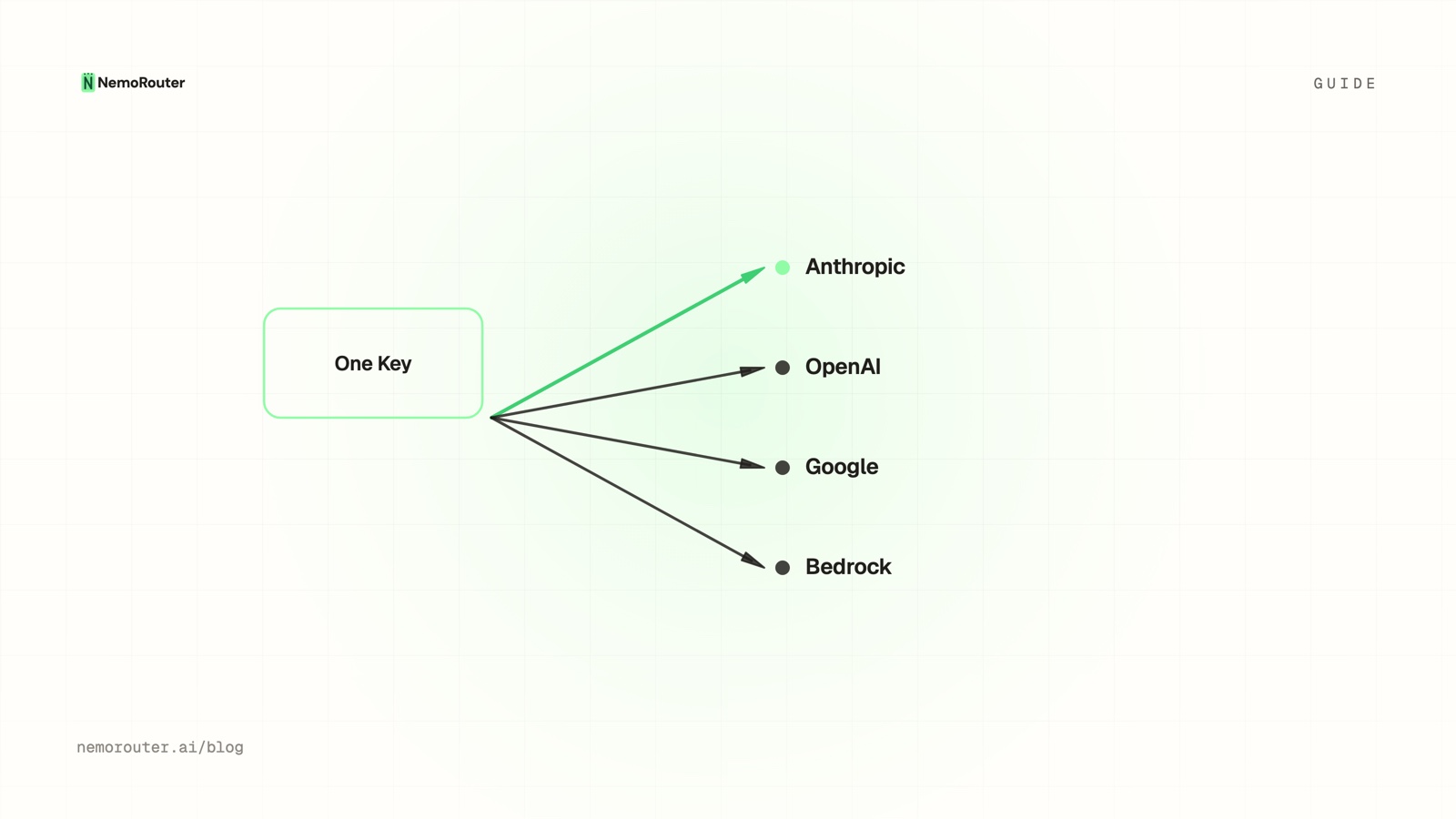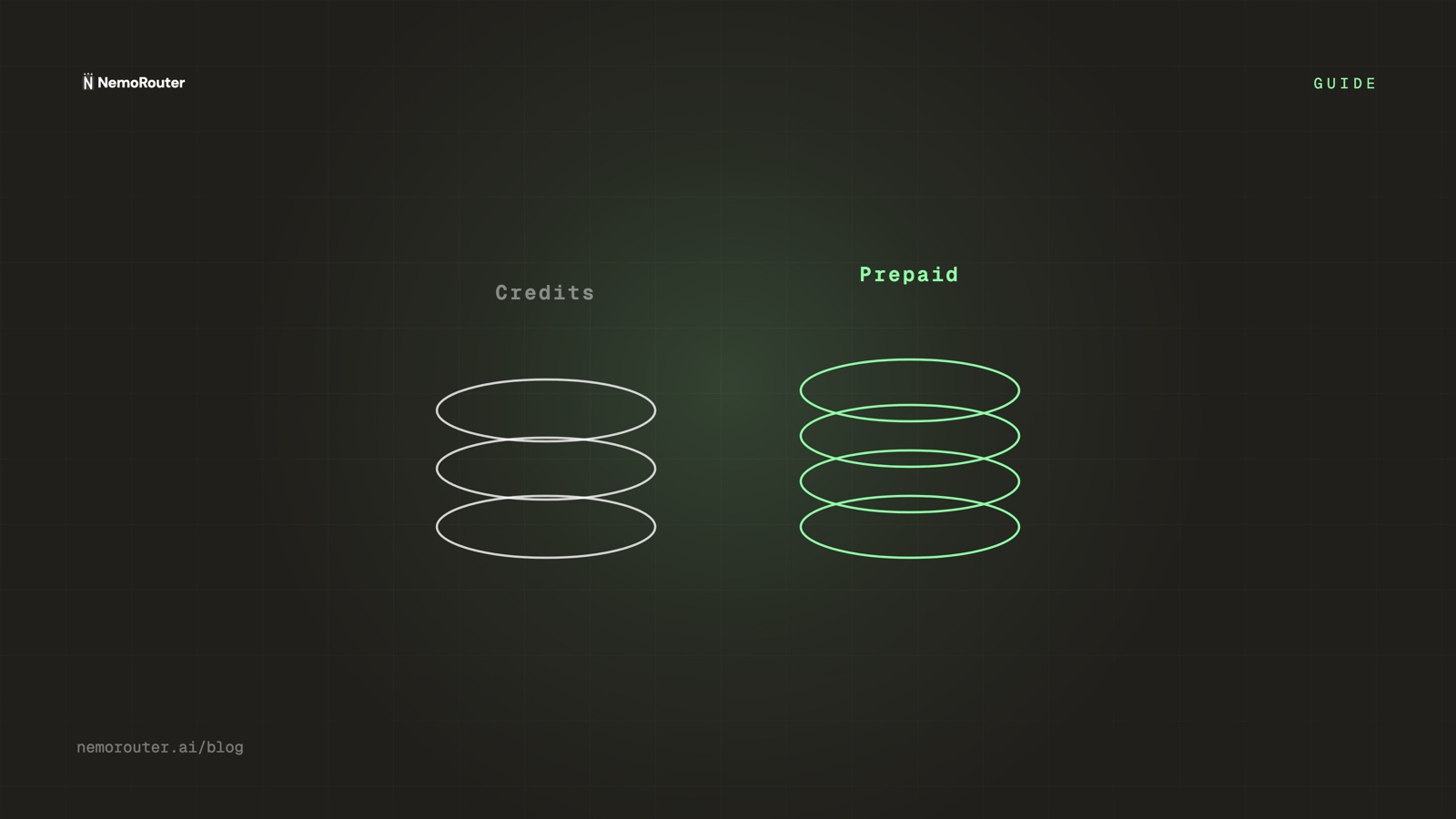
The short answer: a provider's prepaid balance is denominated against that provider's rate card, so its value moves when their prices move and it funds nothing else. Gateway credits are denominated in dollars, and every call settles at the provider's real cost read from the response — reported on
x-nr-request-cost, or as unpriced when the price is unknown, never as$0. One balance, any model, and the platform fee charged on top at checkout so 100% of what you buy is spendable.
"Credits" and "prepaid tokens" sound interchangeable, and teams reasonably assume a gateway's credits behave like the prepaid balance they already know from a single provider. They do not, and the difference stops being academic the moment you call more than one model. A prepaid balance is a claim against one vendor's pricing sheet. A credit balance is money that has not been spent yet.
That distinction drives everything downstream: how many balances you reconcile, what happens when a provider reprices, whether adding a model is a procurement exercise or a one-line change, and whether a single budget can cover your whole AI surface or has to be split N ways. This guide walks through what each one actually is, then the steps to consolidate onto one dollar balance and prove the arithmetic yourself.
When you need this
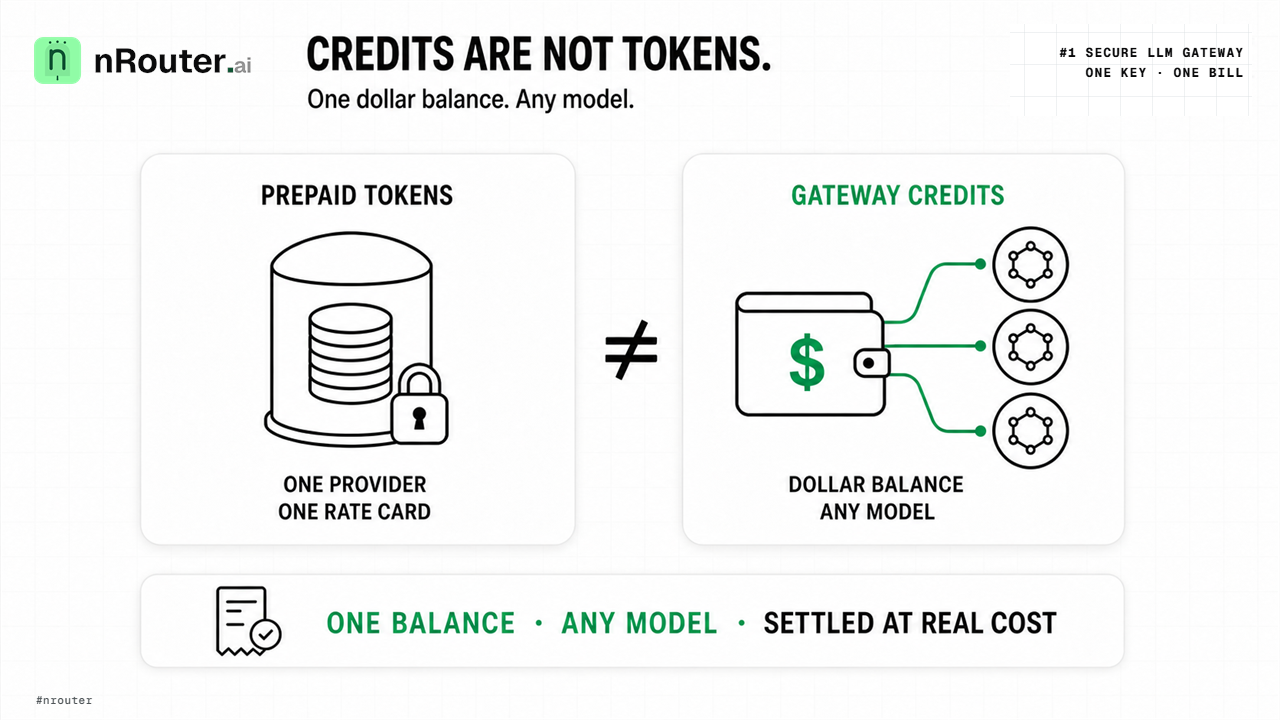
Figure 1: Dollar-denominated gateway credits decoupling multi-provider model access from fragmented vendor prepaid tokens.
You are running three provider accounts and cannot answer "what did AI cost last month." Each vendor has its own console, its own balance, its own invoice cadence and its own definition of a billing period. The total is an addition problem you do by hand, late, and never quite the same way twice.
One prepaid balance ran dry while the others were full. Money sitting in the wrong vendor's account is money you cannot spend, and there is no transfer. This is the failure mode that fragmentation guarantees: your total balance was fine, your available balance for the model you needed was zero.
You want to move a workload to a cheaper model and the balance is in the way. With prepaid
tokens, "switch the summarizer to a smaller model" is partly a finance question. With dollar
credits, it is a string change in the model field, which is the whole argument for
routing by cost vs quality.
What you need first
- An nRouter organization with credits. Signup is card-required, the minimum purchase is $5, and the platform fee rides on top. Start at app.nrouter.ai/signup.
- A virtual key. Created on the Keys page; the full
sk-nrouter-…value is displayed once, at creation. You will need it for the two calls in Step 3. There is no BYOK here — you never paste a provider key, because nRouter holds the provider credentials; the reasoning is in why we don't do BYOK. - Your current prepaid balances, written down. Vendor, amount remaining, and the date each was funded. Step 1 turns that list into a decision.
- Owner or admin permission if you intend to buy credits or read invoices — the permission matrix is in Billing & Credits.
- The model list you actually call. Check it against /models; a model you cannot see in your live catalog is not a model a balance can fund.
Step 1 — Write down what each prepaid balance really buys
Take the list from the prerequisites and add two columns to it: which models can spend this, and what happens to its value if that vendor reprices.
| Property | Provider prepaid balance | Gateway credits |
|---|---|---|
| Unit | That provider's spend against their rate card | Dollars of spendable value |
| Reach | That provider's models only | Any model in your live catalog |
| Count | One balance per provider | One balance |
| Repricing | The tokens your balance buys change | A dollar is still a dollar; the call's price changes |
| Switching models | Move money, or strand it | Change the model string |
| Reconciliation | N invoices, N periods, N consoles | One invoice trail, one ledger |
The "Repricing" row is the one people wave away, so it is worth grounding. Every provider publishes a rate card and every provider changes it: Anthropic's pricing page currently carries a note that Claude Sonnet 5's $2/$10 per-million introductory rate "is now the standard price" and that "the previously scheduled increase to $3/$15 per million input/output tokens on September 1, 2026 will not occur" (pricing). Google publishes its own per-model table for Vertex AI (generative AI pricing), and Amazon a third for Bedrock (Bedrock pricing). A balance denominated in that vendor's tokens is a bet on that vendor's table. A balance denominated in dollars is not a bet on anything.
Some providers do not even offer a prepaid balance to compare against. Anthropic's marketplace billing is explicitly "arrears only (postpaid); no prepaid credits", metered hourly in Claude Consumption Units where "one hundred (100) CCU represents $1.00 USD of fees". A synthetic unit pegged to dollars, and a postpaid one — which is a third shape again, and another reason "how much AI credit do we have" is not a question with one answer across three vendors.
The exercise is deliberately boring, and it is the point. Most teams discover during it that two of their balances are effectively stranded — funded for a model they stopped using — and that the "total AI budget" number they quote internally has never been a single number at all.
Step 2 — Buy credits once, and read exactly what landed
Open Billing (/billing). Top up from the quick-select menu — $5, $10, $25, $50, $100, $500,
$1,000, $2,500, $5,000 — or type a custom amount from $5 up to $25,000 per transaction.
Purchase redirects you to Stripe Checkout; card
details are handled entirely by Stripe and never stored by nRouter — the card is a Stripe
PaymentMethod object living on Stripe's side,
which is why "delete my card" is a Stripe Customer Portal action rather than a support ticket here.
Now read the balance card, because it has four numbers and only one of them is the one you should quote:
- Available credits — balance minus in-flight reservations. This is what you can actually spend right now, and the number to put on a dashboard.
- Lifetime purchased — everything ever bought. Moves by exactly the top-up amount.
- Credits used (including fees) — the cumulative draw-down.
- Reserved — held against requests that are in flight but not yet settled.
The platform fee is charged on top at checkout, not skimmed from the credits. A $100 purchase credits your account with the full $100 and the fee is billed separately, which is what makes "dollars of spendable value" literally true rather than approximately true. The full model, and why we chose it over a per-token markup, is in markup-free LLM credits.
Why the fee sits on top instead of inside the token price
A per-token markup makes every price you see slightly untrue: the provider charges one number, you
are billed another, and the gap is invisible in the response. Charging the fee at purchase keeps the
per-call number honest — x-nr-request-cost is the provider's real cost for that call, and the
platform fee is a separate, visible line. You can audit one against the vendor's published rate
card, which is the whole test of whether a cost number means anything.
Step 3 — Spend the same dollar on two different models
This is the step that makes the abstraction concrete. Send the same prompt to two different models on the same key and the same balance, and read the price off each response.
export NROUTER_API_KEY="sk-nrouter-your-key-here"

for MODEL in gpt-5.4-mini claude-sonnet-4-5-20250929; do
  echo "== $MODEL"
  curl -sS -D - -o /dev/null https://api.nrouter.ai/v1/chat/completions \
    -H "Authorization: Bearer $NROUTER_API_KEY" \
    -H "Content-Type: application/json" \
    -d "{
      \"model\": \"$MODEL\",
      \"messages\": [{\"role\": \"user\", \"content\": \"Name three uses for a gateway. Be terse.\"}]
    }" | grep -iE '^x-nr-(request-id|request-cost|latency-ms)'
done
Different providers, different prices, one balance, one key, no configuration between them. That is the entire difference from the caller's point of view — and it is why "switch this workload to a cheaper model" is an afternoon rather than a quarter. The base URL and the key are the only things an OpenAI-shaped SDK needs changed; the cURL examples and Python SDK guide show the same call in each SDK shape.
One caveat to internalize before you build reporting on this header: when a model's price is not
known, the cost is reported as unpriced and the header is absent. It is never 0. A
reporting pipeline that treats a missing header as zero will quietly under-count, which is exactly
the failure that cost honesty is about.
Step 4 — Reconcile the balance against the ledger
Every credit movement is ledgered, and the ledger is authoritative. Reconciliation is therefore a real check you can run rather than a matter of trust.
Open Reports → Advanced → Cost at /advanced/cost, set the window to match your top-up period,
group by model, and export to CSV. The Cost report leads with total spend and a period-over-
period trend, then breaks down requests, tokens, cost per request, cache-hit rate, error rate and
average latency. Charges from nRouter tools are broken out separately so they do not distort LLM
spend.
Then check the identity that should always hold: lifetime purchased − credits used = balance, and balance − reserved = available. If those two lines agree, your dollar balance is doing exactly what a dollar balance should. If you want the ledger-reading skill in full — which row is a purchase, which is a settlement, which is a reversal — it is in how to read your credit ledger, and the mechanics of why a reservation exists at all are in reserve-and-settle.
Step 5 — Replace N per-provider ceilings with one budget
The practical payoff of consolidation is that spend control stops being per-vendor.
With prepaid balances, your only real ceiling is "how much did I fund each account", which is a
ceiling you can only lower by starving a provider. With dollar credits, the ceiling is a budget you
set on the Budgets page: Budget Name, Max Spend, Duration (Daily, Weekly,
Monthly or Total) and a scope of Organization, Team, User or API Key, with an
enforcement mode of Block, Warn or Throttle. One organization-scoped budget in Block mode covers
every model, every provider, and every key created after you set it.
That is a genuinely different governance shape: the cap is on the dollars, not on the vendor relationship, so adding a seventh model does not add a seventh ceiling to maintain. Which control to reach for, and why you usually want a rate limit beside it, is budgets vs rate limits; the full ordering of ceilings a request passes is the four ceilings guide.
Verifying it worked
The cost header is present and plausible. Every priced call returns x-nr-request-cost in USD
alongside x-nr-request-id and x-nr-cost-status. Spot-check one against the provider's published
rate card and your token counts — if they agree, the number means something.
An unpriced call omits the header rather than reporting zero. This is the property worth testing deliberately, because it is the one most billing systems get wrong. Absence means "unknown", and your pipeline should treat it as a gap to resolve, not as free inference.
Available credits move by the settled amount. Run a handful of calls, refresh /billing, and
confirm available credits dropped by roughly the sum of the cost headers. Small timing differences
are reservations that have not settled yet.
Zero balance produces 402, not a silent failure. When credits are exhausted, requests return
HTTP 402 Payment Required. That is the observable end state of a dollar balance, and the reason
auto top-up exists — along with the reason it needs a budget beside
it.
What goes wrong
Quoting balance when you meant available. Symptom: a dashboard says you have $412 and a call
fails on insufficient funds. Reservations for in-flight requests sit between the two numbers. Fix:
report available credits everywhere a human makes a decision from the number.
Treating a missing cost header as $0. Symptom: reported spend is lower than the ledger. Fix:
branch on the header's presence. Unpriced means unpriced; the reasoning behind that refusal to
guess is in cost honesty.
Assuming the platform fee comes out of the credits. Symptom: someone budgets $100 of credits and expects $96 of inference. It is the other way round — you receive the full $100 and the fee is charged separately on top. On every plan the fee is a flat 4% of the credits, so that $100 of credits is charged $104.00 ($4.00 of fee), with no minimum fee.
Expecting to move a prepaid provider balance into credits. You cannot. A prepaid balance is a claim against that vendor and stays there. Plan the migration as "spend it down, then stop funding it", not as a transfer.
Thinking a new model needs new funding. Symptom: a team delays trying a model because "we haven't set up billing for it." With a dollar balance there is nothing to set up — the model is a string, and the same credits fund it. Check the live catalog at /models.
Confusing the credit balance with a spend cap. A balance is a buffer, and once auto top-up is enabled it refills itself, so it is not a ceiling at all. The ceiling is a budget. That confusion is the single most expensive one on this page.
Try it
Every feature — guardrails, A/B tests, prompt management, evals, per-team budgets — is on every
plan; plans change only the monthly allowance and the guaranteed throughput. Pay as you go is $0
subscription with a 4% platform fee added on top of each purchase — a flat 4% of the credits,
which is 4% of your spend. Every plan pays that same 4%; subscriptions from $20/mo add a monthly
nrouter/auto allowance and higher rate limits, not a lower fee. The table lives at
/pricing.
Load the $5 minimum — the platform fee rides on top — then run the two-model loop from Step 3 and watch one balance fund two providers.
→ Start at app.nrouter.ai/signup, or try a model in the playground first.
Migrating off a stack of prepaid provider accounts? The mechanics of the switch are in Migrate Off OpenRouter: The Base-URL Swap and What Does Not Map, and the nRouter community is where people compare notes on the reconciliation.
See also
- Markup-Free LLM Credits: The Fee Is On Top, Never In The Rate — why the platform fee sits on top of a purchase instead of inside the per-token price.
- How to Read Your LLM Credit Ledger — the row-by-row skill that turns the balance card into an auditable trail.
- Reserve-and-Settle: Never Overspend a Credit Balance — what the "reserved" number on the balance card actually represents.
- Cost Honesty: We Read the Number, We Don't Invent It — why an unknown cost is reported as unpriced rather than as zero.
- Auto Top-Up Without Surprise Bills — how to keep a dollar balance liquid without turning it into an uncapped spend loop.
- Why We Don't Do BYOK — why you fund credits instead of pasting a provider key, and what that buys you.
- Pricing — plan table, platform fee, and the $5 minimum purchase.
Sources
Verified 2026-08-23. Corrections to hello@nrouter.ai.
-
Credit balance fields, top-up amounts, fee-on-top and the 402 behaviour: Billing & Credits
-
Response headers, including
x-nr-request-cost: Chat Completions API -
Cost reports, CSV export and the grouping dimensions: Analytics & Reports
-
Budget fields, scopes and enforcement modes: Budget Controls
-
The live model catalog: nrouter.ai/models
-
Plans, platform fee and minimum purchase: nrouter.ai/pricing Payments
-
Stripe Checkout (the payment path for every purchase): docs.stripe.com/payments/checkout
-
The PaymentMethod object — where a saved card actually lives: Payment Methods API
Provider rate cards, cited for the repricing and prepaid-shape claims in Step 1
- Per-MTok prices, the Sonnet 5 repricing note, and marketplace billing as "arrears only (postpaid); no prepaid credits" in Claude Consumption Units: Anthropic pricing
- Google's per-model table: Vertex AI generative AI pricing
- Amazon's per-model table: Amazon Bedrock pricing