The Direct Answer: Smart routing cuts LLM expenditure by up to 70% by dynamically mapping prompt complexity to the optimal model tier (Cost, p95 Latency, Weighted A/B, or Intent-based) via a single unified router alias. Instead of hardcoding vendor SDKs or multi-model branching in application code, engineering teams configure candidate sets and routing strategies in the nRouter dashboard, updating live production traffic in 30 seconds with 0% token markup and exact upstream list pricing.

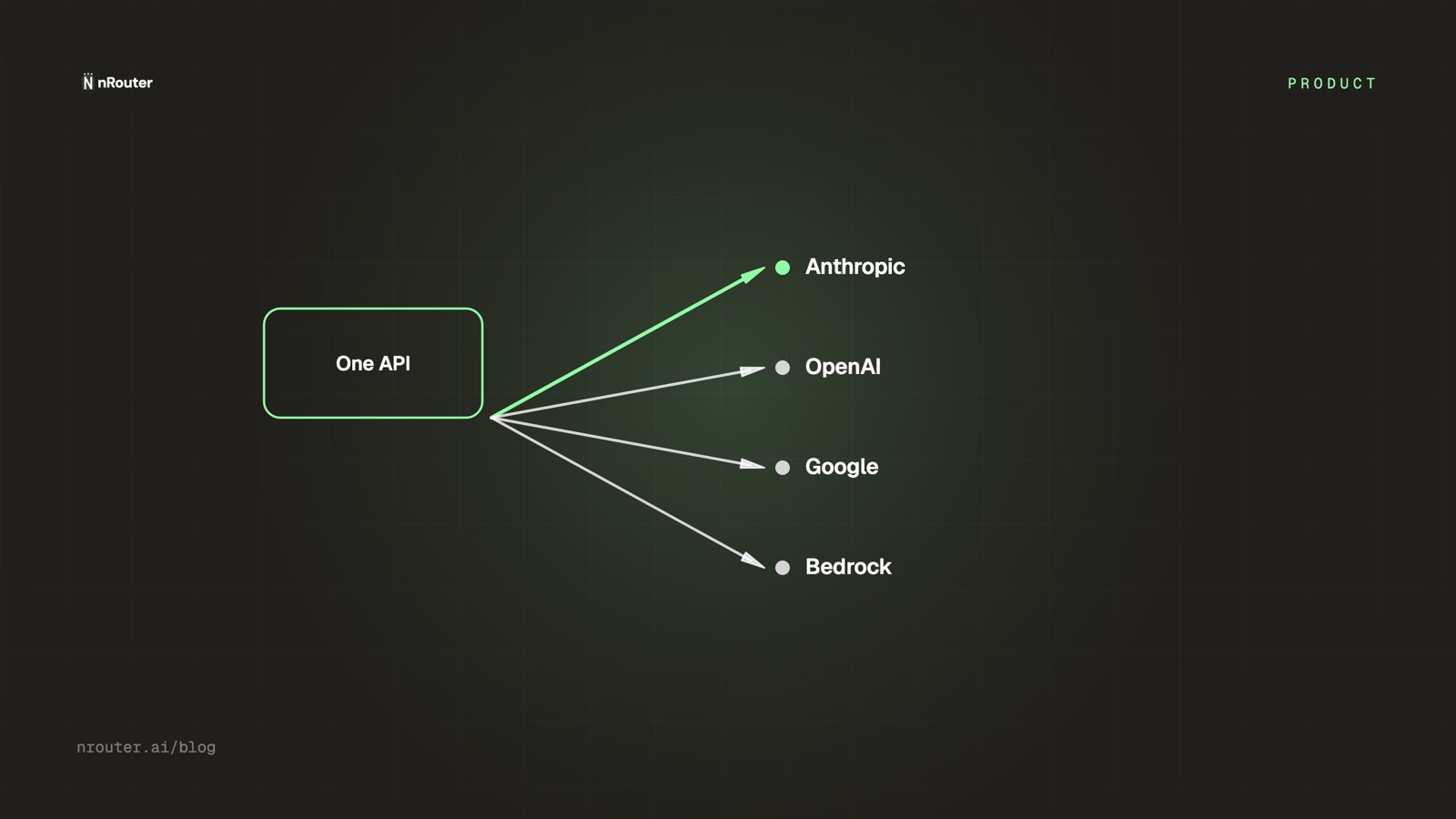
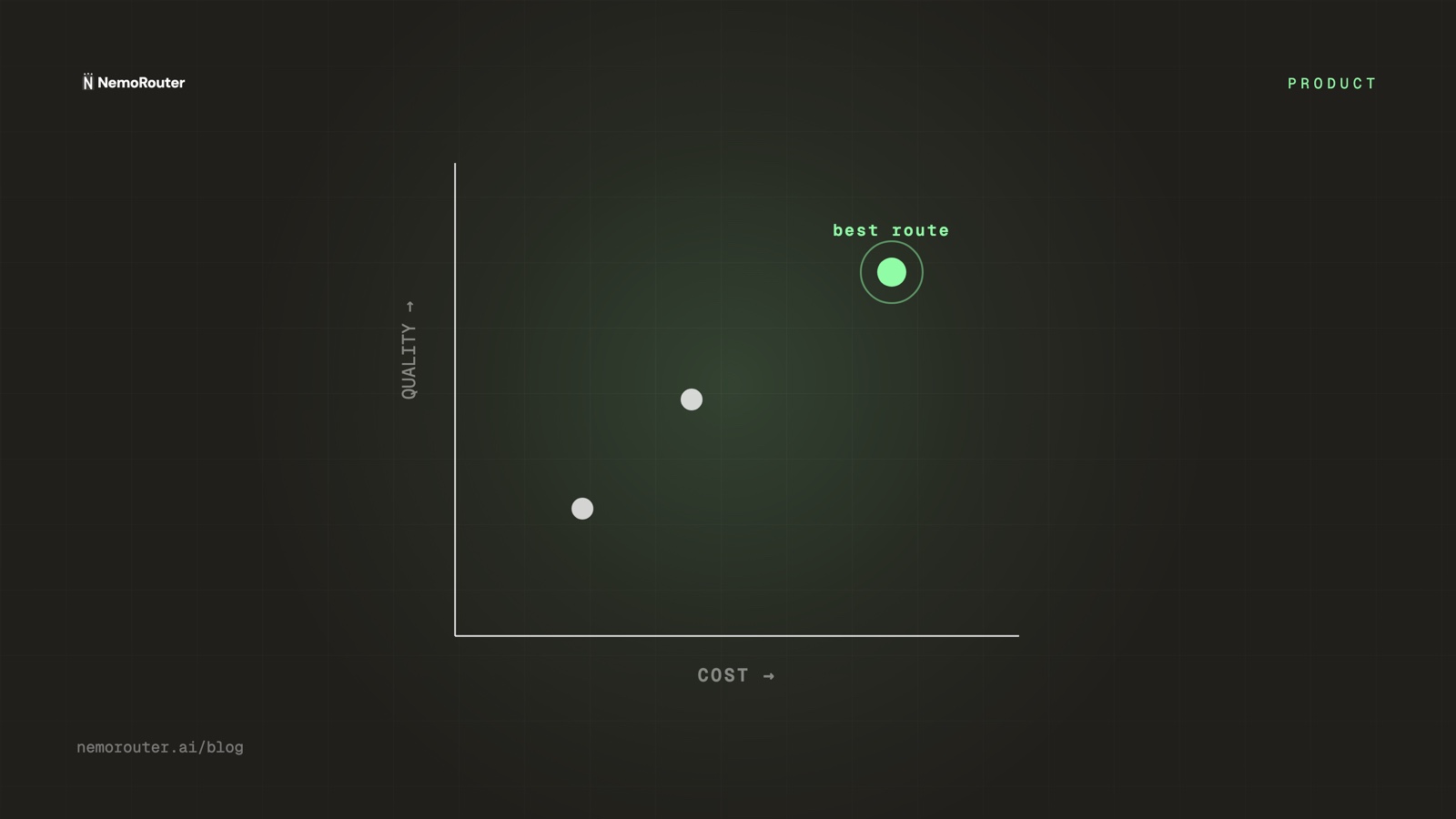
Figure 1: Smart Routing Data Plane — Evaluating candidate models by cost, latency, or intent tier at request time and returning honest settled cost headers.
What it does
A router alias is a name your code calls that resolves, at request time, to one model out of a set you control. Change the set or the strategy in the dashboard and the cost of that call changes — no deploy, no SDK change, no
ifstatement. A concrete model you name directly is never re-routed, so routing is opt-in and reversible.
The one-paragraph version: the cheapest large saving in most LLM bills is not a discount, it is the fact that a large fraction of calls are being served by a model far better than the task requires. Fixing that by hand means per-model branching scattered across a codebase, which is why it usually does not get fixed. A router alias moves the decision out of code and into configuration, which makes it cheap enough to actually change — and cheap enough to change back.
This post is about routing choice as a cost lever. It is not the provider-breadth argument (one key, every provider), not the bounding argument (budget ceilings), and not the reseller argument (per-customer billing). Routing is the lever that changes what a call costs; those are the levers that change what you can see, bound and re-bill.
The job it does for you
Before. Every call goes to one model, chosen once, usually the best one available at the time — because choosing the best one is the decision that cannot be criticised. Then the workload diversifies. Classification, extraction, JSON reformatting, a cheap first pass before a human reviews it: all of it billed at flagship rates, all of it high volume, none of it requiring the flagship.
Everyone knows the fix. Almost nobody ships it, and the reason is not laziness — it is that "use a smaller model for the easy stuff" cashes out as a second provider SDK, a second credential, per-call branching logic in three services, and a permanent maintenance obligation, in exchange for a saving nobody has measured yet. The expected value of that trade is genuinely unclear, so it stays on the backlog and the premium-everything default persists.
After. The branching lives in one place, outside your code. A call names an alias; the alias resolves to a model according to a strategy you picked. Changing which models are in the set is a dashboard edit that reaches live traffic in about thirty seconds. Reverting is the same edit backwards. The measurement is on the response, per call, so the saving is observed rather than assumed.
The structural change is that the cost of trying a routing change drops to near zero, and that is what makes the saving reachable. A change that costs two sprints has to be justified in advance. A change that costs a dashboard edit and thirty seconds can be tested.
How it works
You define a router alias: a name, a set of candidate models, and a strategy for picking among them.
| Strategy | How the request resolves |
|---|---|
| Cost | To the cheapest model in the set, by your list price |
| Latency | To the model with the lowest recent p95 latency for your organisation |
| Weighted | Split across the set by the percentage weight you assign each model |
Each alias belongs to your organisation and resolves at request time, so changing the set or the strategy takes effect without a redeploy. Weights are 0–100% per model and the interface flags the set when they do not sum to 100.
Three properties are worth stating explicitly, because they are what make routing safe to adopt rather than a thing you gamble on:
- Routing is opt-in. A concrete model id you name directly is served by that model. Only an alias is resolved. There is no silent substitution of the model you asked for.
- The response tells you what happened.
x-nr-modelnames the model that actually served the request.x-nr-request-costcarries the settled cost of that call — absent, paired withx-nr-cost-status: unpriced, when the cost is not knowable. Never a fabricated zero, for the reasons in cost honesty. - Failover is separate from routing. If the resolved model fails to deliver, the request is retried on an equivalent model from a different provider, and
x-nr-modelnames the one that served it — compare it against the model you asked for and a mismatch is the failover. Do not conflate the two axes: routing chooses which model should serve a task, failover chooses what happens when that choice fails. Making your cheapest flaky model both the default and the fallback gives you the worst of both, and provider fallback chains is the design treatment — including the fact that a retry is a second call and therefore a second bill.
Set it up
The application-side change is the one you already made if you are on nRouter at all — a base URL and a key. After that, routing is configuration.
import os
from openai import OpenAI

client = OpenAI(
    base_url="https://api.nrouter.ai/v1",
    api_key=os.environ["NROUTER_API_KEY"],
)

raw = client.chat.completions.with_raw_response.create(
    model="ticket-classifier",          # a router alias, not a concrete model id
    messages=[{"role": "user", "content": ticket_body}],
)

print(raw.headers.get("x-nr-model"))   # which model actually served it
print(raw.headers.get("x-nr-request-cost"))   # absent when unpriced
print(raw.headers.get("x-nr-cost-status"))    # "exact" | "unpriced"
The dashboard side, in Router Settings:
1. Router Settings → create an alias           e.g. "ticket-classifier"
2. Add candidate models from your catalog      /models is the live list
3. Choose a strategy                           Cost | Latency | Weighted
4. (Weighted) assign 0–100% per model          the header flags a bad total
5. Save Changes                                live inference picks it up in ~30s
Router Settings is an owner-and-admin surface; members and viewers see it read-only. Two adjacent defaults are worth knowing while you are in there: retries default to 3 and the request timeout to 60 seconds, both overridable per request, and the provider's own retry-after hint is honoured on a retry. The complete reference is Router Settings, and the catalog side is the model catalog guide.
What to route down, and what not to
Routing saves money only where a cheaper model is genuinely sufficient, so the unit of the decision is the task, not the request volume. A useful four-question filter — route the task to a cheaper model unless one of these is true:
- Does it require multi-step reasoning or planning?
- Is the output hard to verify, so a wrong answer slips through unnoticed?
- Is it customer-visible and brand-critical?
- Is it long-context or multimodal in a way small models handle badly?
Four "no" answers make it a candidate. Most extraction, classification, tagging and short-rewrite work answers "no" four times, and that work is usually the high-volume half of the bill. The framework in full, with the task-to-tier mapping, is cost-vs-quality LLM routing: which tasks can go cheap.
The trap on the other side: a cheap model that needs three attempts to produce a usable answer is not cheap, and a headline per-token rate does not tell you that. Route on measured quality-per-dollar for your workload, which means the next section is not optional.
Two provider-side levers sit underneath this decision and are worth exhausting first, because neither requires a quality judgement at all. Repeated prompt prefixes are billed below fresh input on both OpenAI and Anthropic, which rewards putting your stable system prompt and retrieved context in front of the volatile part. And work that does not need an answer now can go through an asynchronous batch path at half the standard rate on both — OpenAI's Batch API documents a 50% discount within a 24-hour window, Anthropic's Message Batches API the same 50% with most batches finishing inside an hour. Neither changes which model answers, so neither carries the risk this section is about.
Prove the downgrade before you commit it
A routing change is a hypothesis — "task X is fine on the cheaper model" — and shipping it to 100% of traffic is testing in production with no control group. The sequence that avoids that:
1. pick one task currently served by the flagship
2. split its traffic deterministically: incumbent (A) vs candidate (B)
3. fix the quality signal BEFORE you look at the result
4. compare quality and cost-per-request across the two cohorts
5. if B holds quality at lower cost, move task X to B and re-measure next period
Deterministic is the load-bearing word: the same input must land in the same cohort every time, or you cannot attribute a difference to the model rather than to the sample. Deterministic A/B testing across model variants is the mechanics, and the weighted strategy above is how you hold the split once you have chosen it.
This step is also what converts a routing change from a claim into a number you can put in a document: not "we think we can save money" but "we moved ticket classification to model B, the quality signal held, and cost per request on that task fell by a measured amount."
Worked example with numbers
This is an illustrative example built on assumed rates, not a platform claim, and not a saving nRouter promises. Substitute your own measured cost per call from x-nr-request-cost and your own traffic mix — the arithmetic is what transfers.
Assume 1,000,000 chat calls a month, all currently served by a flagship model at an effective $9.00 per 1,000 calls for this workload's average prompt and completion length. Assume a review of the tasks finds 70% of calls are classification and short extraction, which a smaller model serves acceptably at an assumed $1.20 per 1,000 calls.
| Slice | Calls/mo | Assumed rate / 1K | Monthly |
|---|---|---|---|
| Before — all flagship | 1,000,000 | $9.00 | $9,000 |
| After — routine (70%) | 700,000 | $1.20 | $840 |
| After — flagship (30%) | 300,000 | $9.00 | $2,700 |
| After — total | 1,000,000 | — | $3,540 |
In this constructed mix the reduction is about 61%. That figure is a property of the assumptions, not of the product. Change the mix to 30% routine and the same arithmetic yields about 26%. Change it to a workload that is entirely hard reasoning and it yields nothing at all, correctly — there is no cheaper model that is sufficient, so there is nothing to route.
Which is why the honest instruction is the one in the A/B section: read the cost header for a week before, make the change, read it for a week after, and use that number. The two rates above should come from the models page for your actual candidates, and the before-and-after should come from your own responses.
The two cost lines routing does not touch
Routing changes what a call costs. Two other lines on the same bill move independently, and it is worth separating them so a saving is not double-counted.
The platform fee. On every plan it is a flat 4% of your credits, added on top when you buy the credits, with no minimum fee. In the worked example, the fee on $9,000 is $360 before routing and the fee on $3,540 is $141.60 after — so routing shrinks the fee proportionally, and changing plan does not change it at all: a subscription buys a monthly nrouter/auto allowance and higher limits, not a lower fee. From credits to Pro covers when a subscription is worth it.
Response caching. Caching is on by default for identical non-streaming requests (streaming requests are not cached); your organization can switch it off in Router Settings, and a single request can skip it by sending "nrouter_cache": false in the request body. It is not a line on this bill: a cache hit is still metered and billed like any other request, so what it changes is latency, not what you pay. It does interact with routing, because a cached response was produced by whichever model served the original call.
Neither of these is routing. Counting a fee reduction and a routing reduction as one number is the most common way a savings figure ends up indefensible in a review.
What it costs
Routing is not a paid feature, and neither is anything else: every plan pays the same platform fee — a flat 4% of your credits, with no minimum fee — which is why a routing change that cuts provider spend cuts the fee proportionally with it, and why the two levers have to be counted separately; the plan table is on the pricing page.
What a plan does move is the allowance and the limits, not the fee: Starter ($20/mo), Pro ($50/mo) and Max ($200/mo) each include a monthly nrouter/auto allowance and higher rate limits, and top-ups on them pay the same 4%. Choose a plan on those, not on the fee.
Routing is not a free on-ramp either: the account opens with a card and a real $5 minimum charge with the platform fee on top.
Where it fits with the rest of the platform
- Finding what to route. Routing without measurement is guessing at which tasks are expensive. Cost vs usage separates the quietly expensive model from the obviously popular one.
- Routing shapes. Operator-controlled routing is one of three shapes on the market, and the other two make different trades — LLM routing strategies 2026.
- Performance routing. The same alias mechanism with the latency strategy is a performance lever rather than a cost one — route requests automatically for better performance.
- Agent pipelines. A routing decision inside an agent loop compounds across steps, which changes how you evaluate it — LLM routing for AI agent pipelines.
- Bounding what is left. Routing lowers the expected case; a ceiling bounds the worst one — budget ceilings that turn AI spend into a forecast.
Limits and what it will not do
- It cannot make a hard task cheap. If every call in a workload genuinely needs the flagship, routing saves nothing, and the correct output of the exercise is that finding.
- It does not judge quality for you. Nothing in the routing layer knows whether the cheaper model's answer was good enough. That is what the A/B step and your own quality signal are for.
- A concrete model id is never re-routed. This is a safety property, and it also means routing does nothing until you actually call an alias.
- A fallback chain cannot be scoped by failure type. A model you list is attempted on any delivery failure — 5xx, network error, 429 and context-window-exceeded alike.
- A retry is a second call and a second bill. Failover is not free, and a chain that is too eager converts a provider's bad hour into your expensive hour.
- Cost strategy uses list price, not measured quality-per-dollar. A model that is cheap per token and needs three attempts will still be picked. That is a reason to curate the candidate set carefully rather than to add every model to it.
- SOC 2 Type II is in progress, not certified. The trust page carries the current posture.
Try it
Create an account at signup, load the $5 minimum (platform fee on top), and do the smallest version of the whole argument: pick your highest-volume routine task, create an alias with two candidates and the cost strategy, send the same fifty inputs through it and through your current model, and compare x-nr-request-cost and the outputs side by side. The quick start gets the key working; Router Settings is where the alias lives. An afternoon produces a number you can defend.
See also
- Cost-vs-quality LLM routing: which tasks can go cheap — the task-level decision framework behind which calls to route down.
- Deterministic A/B testing across model variants — how to prove a downgrade held quality before you commit all the traffic.
- LLM routing strategies 2026 — where operator-controlled routing sits against benchmark-anchored and ML-classifier routers.
- Provider fallback chains: surviving an OpenAI outage — the reliability axis, and why a retry is a second bill.
- Cost vs usage: finding the quietly expensive model — how to pick which task to route before you touch an alias.
- Cutting LLM costs: what published discounts actually save, and where the model is an assumption — the same lever stacked with batch and caching, and where the reservation figure stops being a published rate.
- The models page — the live catalog and rates your candidate set is built from.
Sources
Verified 2026-08-23. If any linked page has changed since, email hello@nrouter.ai and we will correct this post.
- nRouter plans and fees: nrouter.ai/pricing — a platform fee of 4% of your credits on every plan, from $0 pay as you go to Starter ($20/mo), Pro ($50/mo) and Max ($200/mo), $5 minimum purchase.
- nRouter Router Settings documentation: nrouter.ai/docs/guides/router-settings — alias strategies, weights, retries, timeouts and caching defaults.
- nRouter live catalog: nrouter.ai/models — the authoritative model list and rates behind any candidate set.
- OpenAI API pricing: openai.com/api/pricing — published per-model rates; the worked example's rates are assumptions, not quotes from this page.
- Anthropic pricing: anthropic.com/pricing — published per-model rates for the Claude family.
- AWS Bedrock pricing: aws.amazon.com/bedrock/pricing — Bedrock is live on nRouter and AWS publishes its own rates.
- OpenAI prompt caching: platform.openai.com/docs/guides/prompt-caching — the discounted rate on a repeated prompt prefix.
- OpenAI Batch API: platform.openai.com/docs/guides/batch — the published 50% discount and its 24-hour completion window.
- Anthropic prompt caching: platform.claude.com/docs/en/build-with-claude/prompt-caching — the same lever on the Claude family.
- Anthropic Message Batches API: platform.claude.com/docs/en/build-with-claude/batch-processing — the published 50% cost reduction, with most batches finishing in under an hour.
OpenAI, Anthropic and AWS are trademarks of their respective owners. nRouter is not affiliated with or endorsed by them. All claims above are sourced from their public pricing or documentation on the date shown.